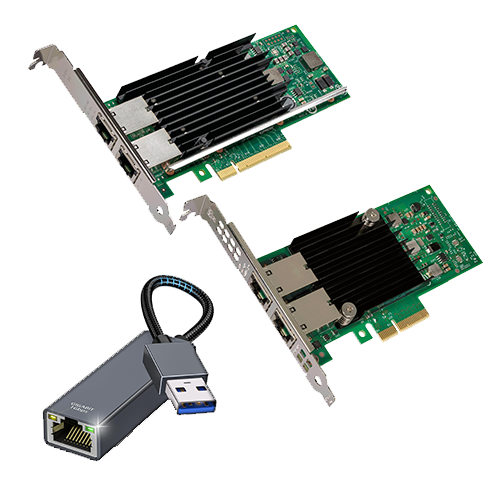
We have been operating several Synology NAS devices for many years, which have been discussed previously. One of them in particular – the DS1819+ – has an interesting feature: you can install an expansion card.
In terms of networking, this model comes with four RJ45 sockets, each of which can handle a maximum bandwidth of 1 gigabit. Link aggregation would allow you to use 4 gigabits, but there are obstacles and you would have to occupy four ports on the switch. Not ideal.
But Synology does offer expansion cards:
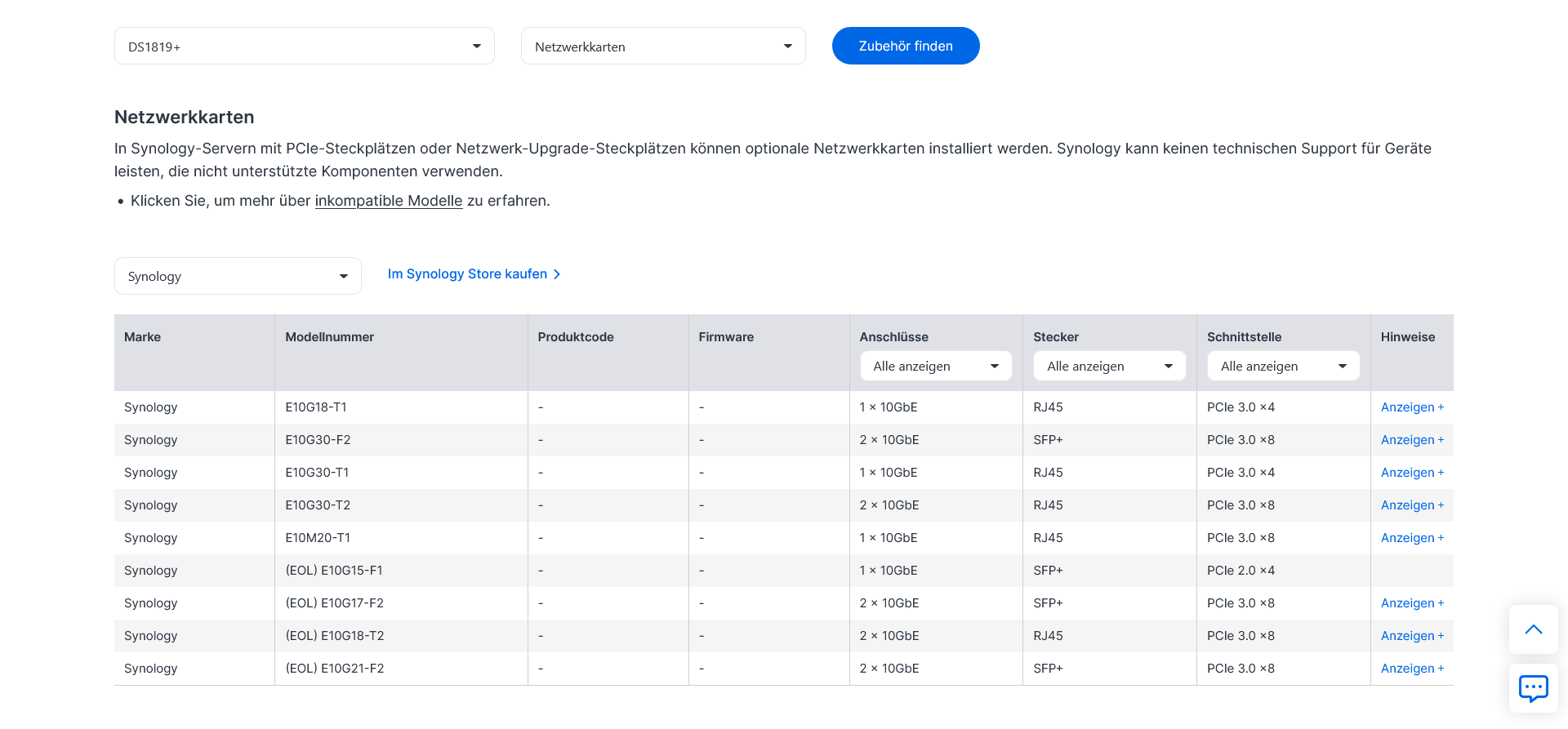
Anyone who has ever searched for any of these models in price comparisons will notice that they are BRUTALLY overpriced and actually only consist of components from other manufacturers (similar to Synology-branded hard drives and SSDs!).
Third Party?
For a long time, I was unaware that Synology directly tests third-party expansion cards for compatibility and that there is even an official list. It’s no coincidence that this list isn’t that easy to find:
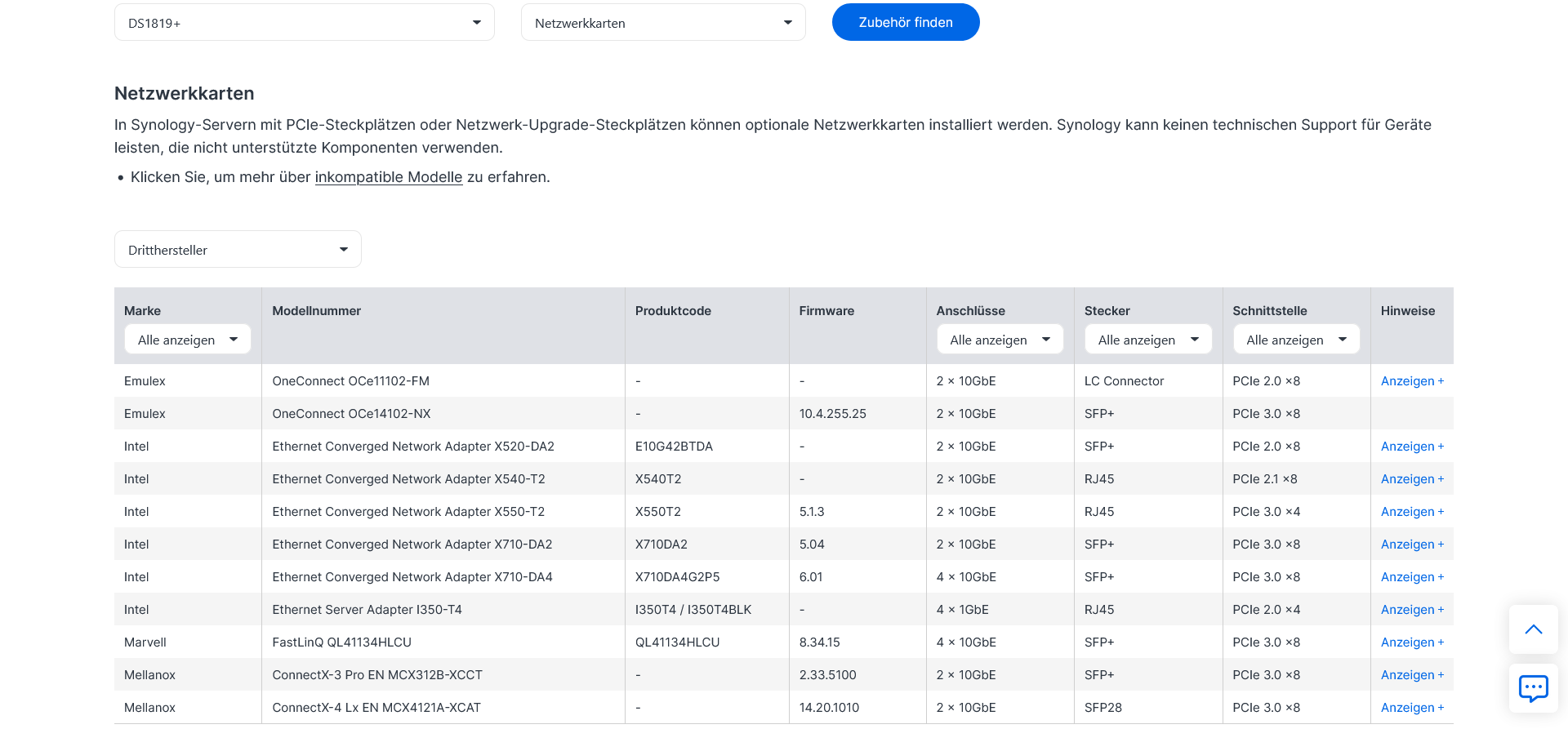
What is compatible or works and what is not is largely determined by the device drivers available in DSM, and that is in the hands of Synology. Since our basic system will be based on RJ45 for the foreseeable future, the two older Intel models, X540-T2* and X550-T2*, look interesting to me.
The X540-T2 is available used starting at €40, while the X550-T2 tends to start at €70 – 80, as it is generally the better choice: Significantly lower power consumption plus support for the now widespread 2.5 and 5 Gbit modes (the X540-T2 can only do 10 / 100 / 1,000 / 10,000, nothing in between!).
Great, so you can use cards that are much cheaper than those from Synology!
Yes, and it gets even better: User “bb-qq” has something really cool up his sleeve in one of his repositories:
DSM drivers for Realtek network adapters that run via “USB 3.1 Gen.1” (i.e., USB 3.0) and are available in China and generally very inexpensive!
The following Realtek chips are supported (as of 01/2026):
- RTL8152/RTL8153:
1.0 Gbit
- RTL8156:
2.5 Gbit
- RTL8157:
5 Gbit
- RTL8159:
10 Gbit
2.5 or 5 Gbit make the most sense here; 10 Gbit would be severely slowed down by the lack of bandwidth because of USB 3.1 Gen.1. This way, Synology NAS devices in particular can be expanded with faster networking. These devices do not have an expansion card slot but do have at least one USB 3.1 Gen.1 interface, which is almost always the case!
The Github page also lists exact models with compatibilities and incompatibilities so that you can buy the right one right away. However, installing the drivers is something for advanced users; SSH and CLI should not be foreign words.
For the inexperienced, it is recommended to use one of the Intel network cards mentioned above, preferably used or refurbished.