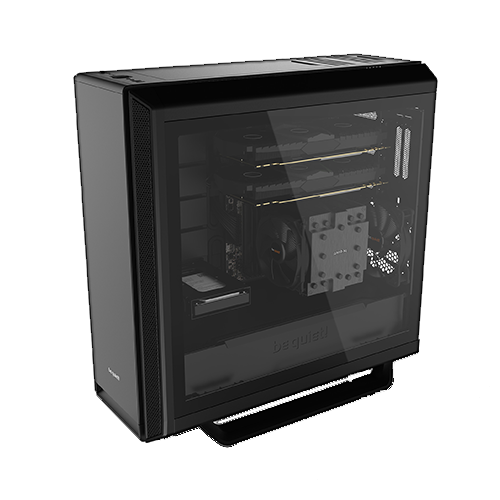
If you work a lot with hardware, especially data storage devices, you will soon realize that there are processes that take a lot of time and for which you would rather not use your main computer.
These include, in particular:
- Overwrite hard drives according to DoD 5220.22-M (7 times)
- Recover data
- Create large archives or backups
- Stress tests and benchmarks of storage devices
One day, I outsourced these processes to a separate computer, the “Recovery PC”. As is usual for me, it consists mostly of components left over from other systems. The motherboard, including the CPU and RAM, was once my personal main PC in 2017.
Adapt?
Another point in favor of having a separate computer for these jobs is connectivity:
You can adapt just about anything, preferably to USB 3.0 with A or C connectors.
However, there are often “corner cases” where, for example, the controller in the USB dock has a limit and does not understand certain conditions (sector size, partition size, AF, etc.), which should of course be avoided. Prominent limits for storage devices are 2 GB for older SD controllers, 4 GB, 32 GB, and 2 TB.
It is therefore preferable to operate SATA devices directly on SATA. This has the advantage that S.M.A.R.T. data can always be read smoothly. In addition, firmware updates almost always only work when the drive is connected directly.
Priorities
The PC actually had 32 GB of RAM, but one of the four modules broke during overclocking and since then there have only been 16 GB. The first generation of AMD Ryzen desktop processors, on which this computer is based, were extremely sensitive to RAM. Operating four modules with significant clock speed is almost impossible, two only with prior knowledge and luck. The memory controller in the CPU was simply still very immature.
What was important was actually:
- Sufficient USB 3.0 ports*
- At least two SATA-III ports that are accessible from the outside
- Stability
- Boot drive NVMe
- Internally usable storage capacity for temporary data storage
This PC was also built inverted so that it could be placed attractively on the left side of a shared desk.