No question about it—without the right conditions, you won’t get good overclocking results.
It’s time to take a look at what can stand in the way of maximum overclocking:
- The power supply of the motherboard for the processor (VCore VRMs)
- The cooling of these VRMs
- The quality of the processor (“silicon fitness”)
- Clearly, the cooling of the processor
What can the VRMs of the selected ASUS Z270-E motherboard do?
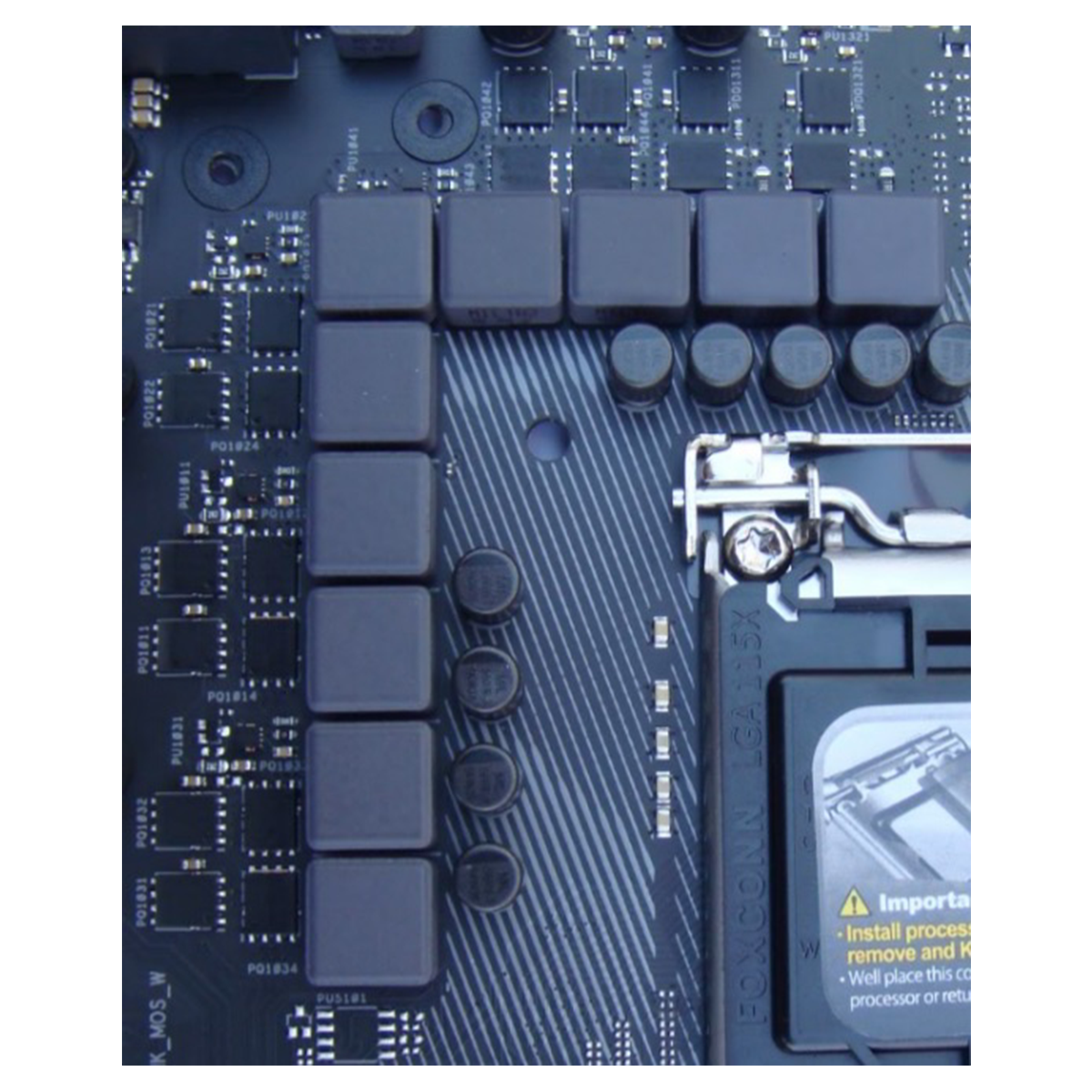
There are some really good but also very complex lists showing which motherboards are equipped with what, usually by socket type. The ROG Strix Z270E Gaming from ASUS is equipped as follows:
 ⧉ PCTeK REVIEWS
 ⧉ PCTeK REVIEWS
 ⧉ PCTeK REVIEWS
Digital 10-phase power supply:
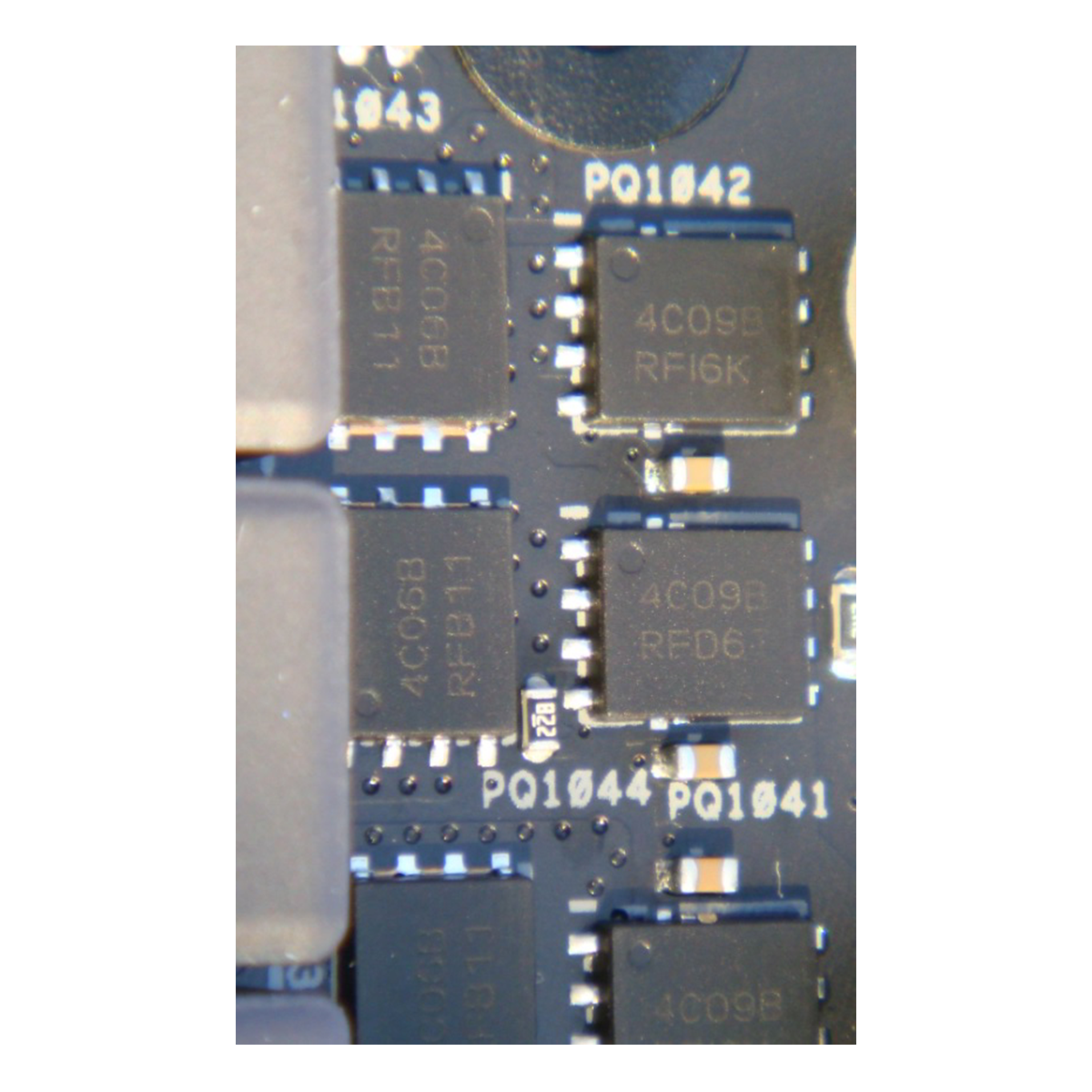
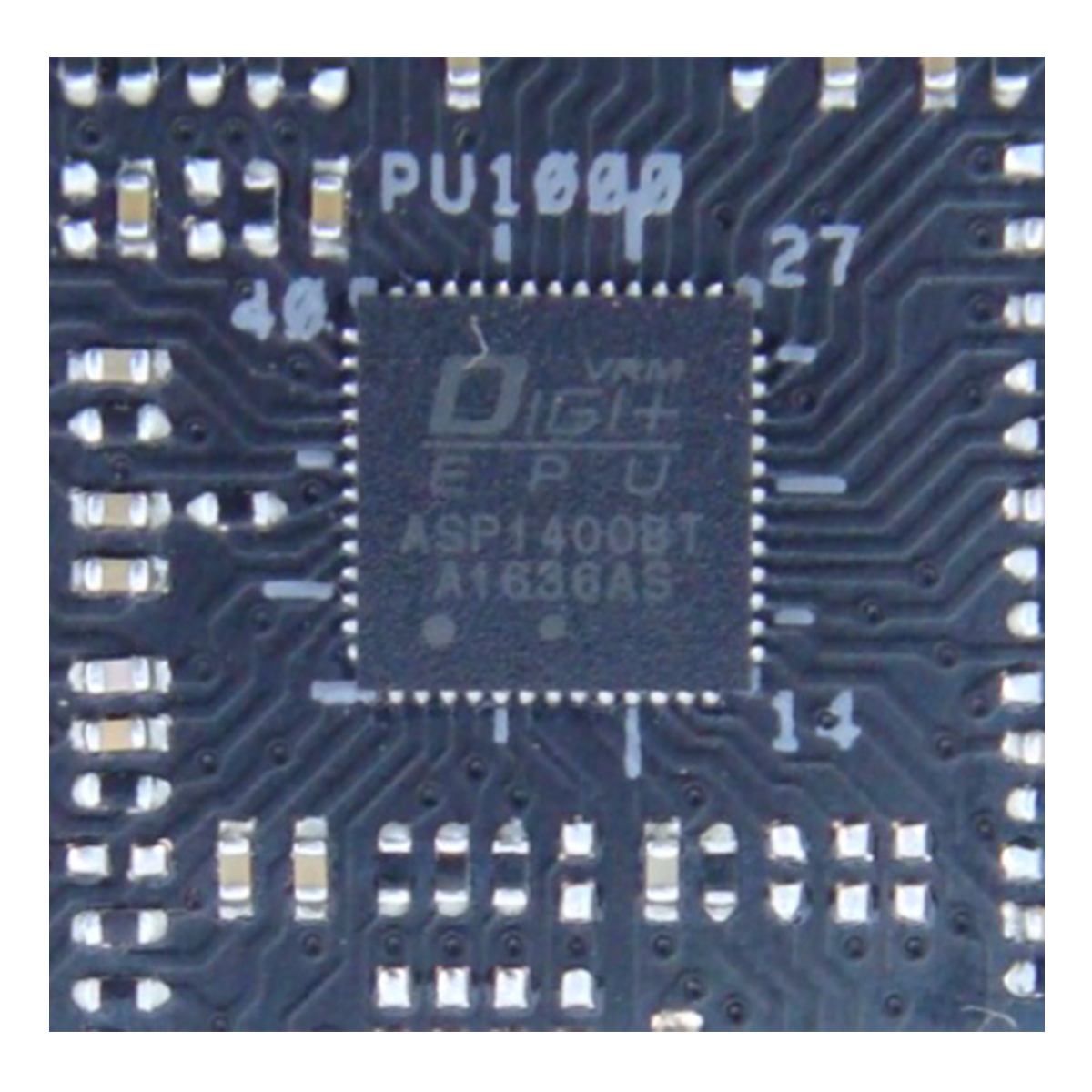
As can be clearly seen in the pictures, the channels of the ASP1400BT PWM controller have been divided into a 4 x 2 = 8-phase (VCC = VCore) + 2-phase (VCCGT, VCCSA, VCCIO, SoC) configuration.
Each of the first four channels controls a network:
One ON Semiconductors NTMFS4C09B MOSFET on the “high side” (12 volts) and one NTMFS4C06B MOSFET on the “low side” (VCC), behind which there is one coil with a maximum load capacity of 60 A. The whole thing is then repeated twice, resulting in a total of two high-side MOSFETs, two low-side MOSFETs, and two coils.
This is followed by two channels that are “simply” equipped (“+ 2”), i.e., one high-side and one low-side MOSFET and one coil each. The functionality of the whole thing is explained quite well here.
I assume the calculated value of 30 A per phase mentioned in the explanation as a safe maximum value.
The (low-side) MOSFETs could deliver more, significantly more with extremely good cooling (> 400 A, completely unrealistic!).
Assuming a VCore (VCC) of 1.52 volts, which according to Intel is the absolute limit of these CPUs that one should not come too close to (keyword: degradation), this would result in a maximum possible power output of 365 watts – but only with good cooling of the VRMs.
Assuming a more realistic VCore voltage of 1.35 volts, this would result in 324 watts (with cooling still adequate). Since the i7-7700K is specified with a TDP of 91 watts (which does not necessarily mean that this represents the actual power requirement – the definition of “TDP” is vague), this should be easily sufficient even if the power consumption doubles due to overclocking.
Since the VRMs were designed as “4 x 2” for the VCore, their control is not as precise or low-latency as if the whole thing had been designed as “8 x 1” (each PWM channel always controls two pairs of MOSFETs here; with 8 x 1, each channel would control only one MOSFET pair, which would enable more precise and faster control).
Motherboards designed specifically for overclocking are potentially slightly better at this. To stay with ASUS ROG, an example would be the ROG Maximus VIII Extreme, with 8 phases. These have even more powerful VRM components, for example for use with nitrogen in extreme overclocking, finer settings in the BIOS/UEFI, and are also significantly better optimized for the (much more complex) overclocking of RAM.
Interim conclusion:
The power supply to the processor is guaranteed even in extreme conditions. I cannot imagine that this 91-watt TDP processor with normal cooling and even when heavily overclocked would ever require more than 150–200 watts, which is far from the limit of this VRM design. Of course, the service life of all components involved is reduced when operating them at their limits, but I consider a projected 50% “headroom” to be quite good. The VRMs should actually be able to be cooled almost passively under all circumstances. In addition, the passive heat sinks are generously dimensioned and should be able to easily cope with the power dissipation.
Obviously, you don’t always need a board with “OC” written all over it to have good conditions.
Thank you, ASUS, for the VRM design of the ROG Strix Z270E Gaming.
Processor quality:
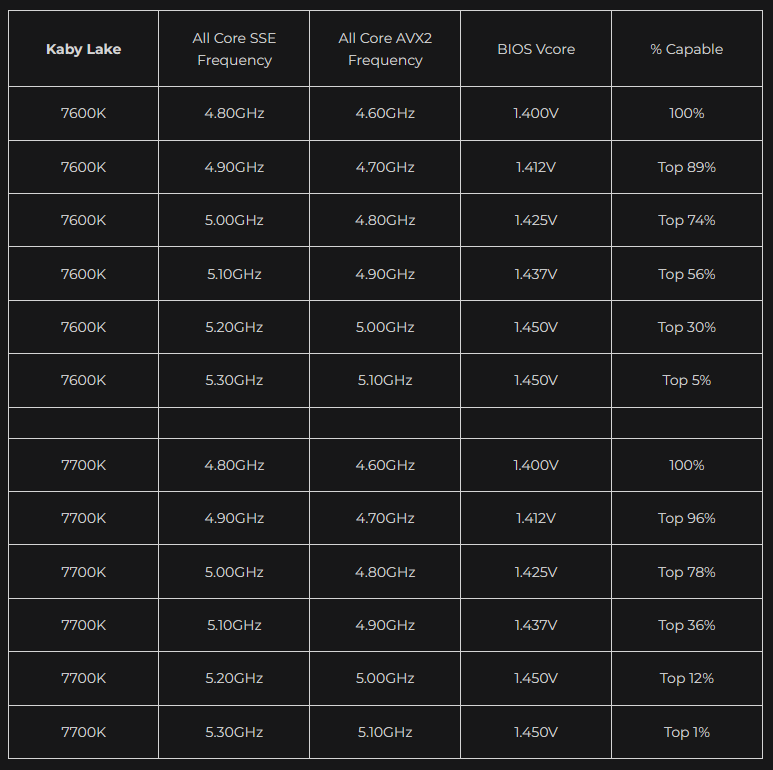
That’s a difficult question—you can only find out by testing, i.e., by overclocking at a fixed voltage (VCore). There was a renowned US company that turned this testing process and the results into a business model: Silicon Lottery.
Unfortunately, this company has not been in existence for some time, but the link leads to a very interesting former subpage that has fortunately been preserved on archive.org, namely the “Binning” statistics for certain processor series, including the i5-7600K and i7-7700K:
 ⧉ Silicon Lottery
For long-term everyday use, I consider the voltages to be borderline.
I’m not really interested in the values under AVX2 load either – when does full utilization with only AVX commands actually occur in standard Windows operation?
So from now on, I’m hoping for a sustained 5.00 GHz on all four cores, without AVX – but with hyperthreading.
According to these statistics, 78% of all i7-7700K processors tested at the time achieved this, so it’s not completely unrealistic to set this as a goal.
Processor cooling – There are several options…
Various systems could be considered, each with advantages and disadvantages:
First option: Extreme, Liquid nitrogen (LN2)
Advantages:
- Extremely good cooling
- The greatest potential, “record-breaking”
Disadvantages:
- Absolutely unsuitable for operation lasting longer than benchmarks
- Very expensive
- Only with special equipment
- Completely unrealistic in this case
Second option: Custom-Watercooling
Advantages:
- Very good cooling
- Visually very appealing when well constructed
- Very quiet depending on design
Disadvantages:
- Expensive
- Durability
- Requires a lot of space
- High maintenance costs
- Many potential faults (leaks, defective pump, corrosion, etc.)
Third option: All-in-one liquid cooling
Advantages:
- Acceptable to good cooling depending on design
- Affordable
- Visually appealing when chosen appropriately
- Relatively quiet
Disadvantages:
- Space requirements
- Durability
- Many potential faults (leaks, defective pump, corrosion, etc.)
Fourth option: Classic air cooling
Advantages:
- Acceptable to good cooling depending on design
- Inexpensive to implement with good results
- Space-efficient
- Very good repairability and durability
Disadvantages:
- Potentially the loudest option
- Performance may suffer (“headroom”)
What did I decide on?
Considering the intended use and, of course, durability and maintenance requirements, I opted for classic air cooling.
Not much can go wrong with this system—even if it does, a defective fan can be replaced quickly and inexpensively, and the system will notify you if the speed value is no longer being received, allowing you to identify when there is a defect.
There are some really good options available that are now even affordable.
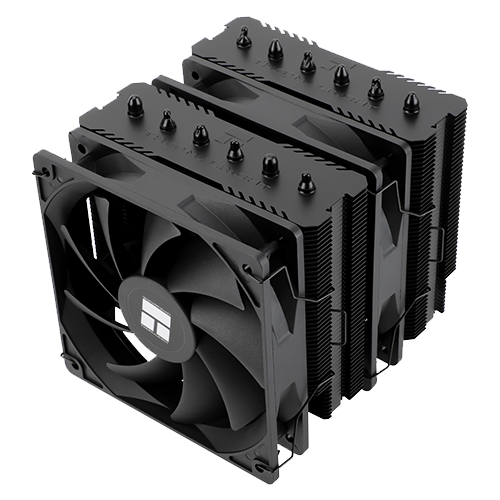
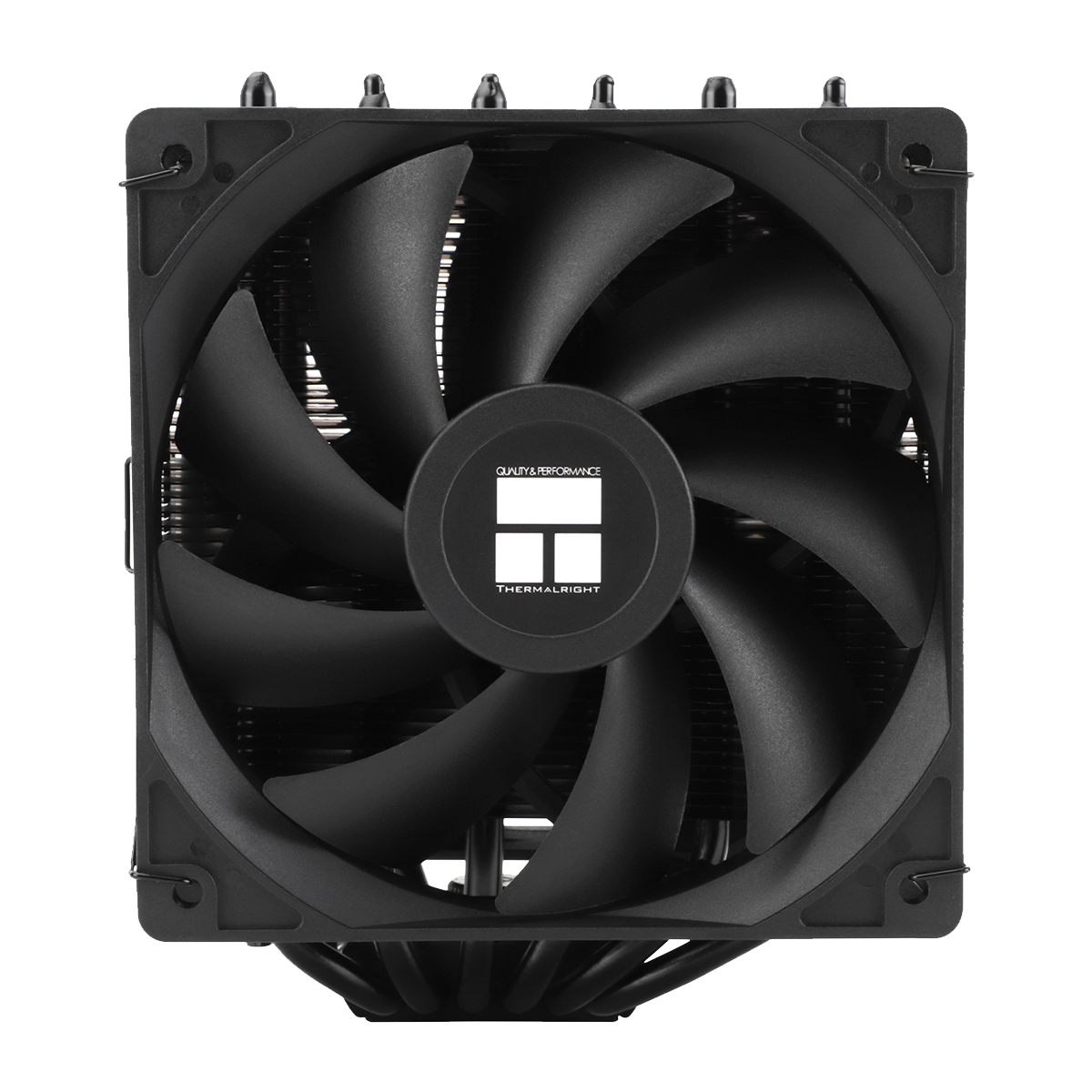
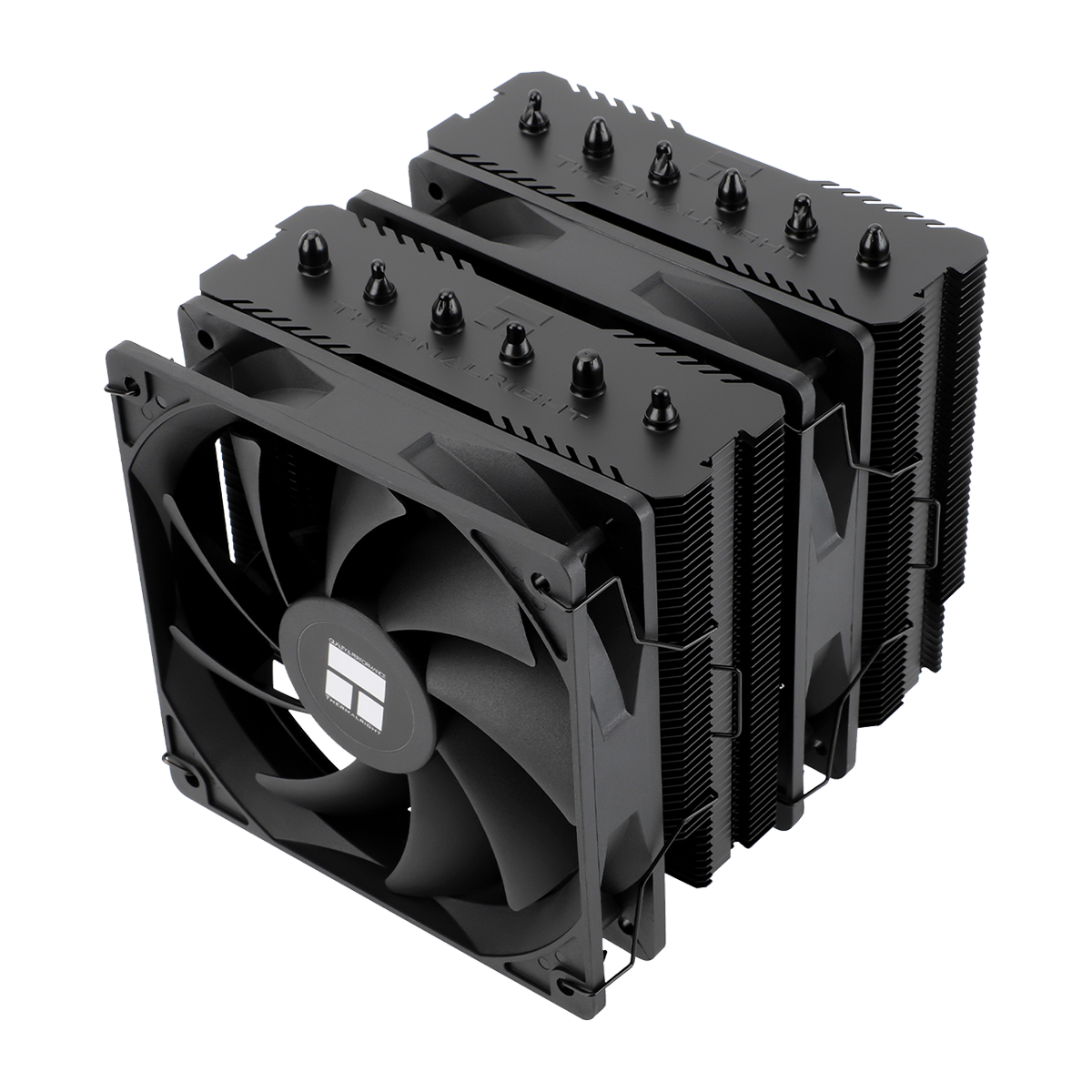
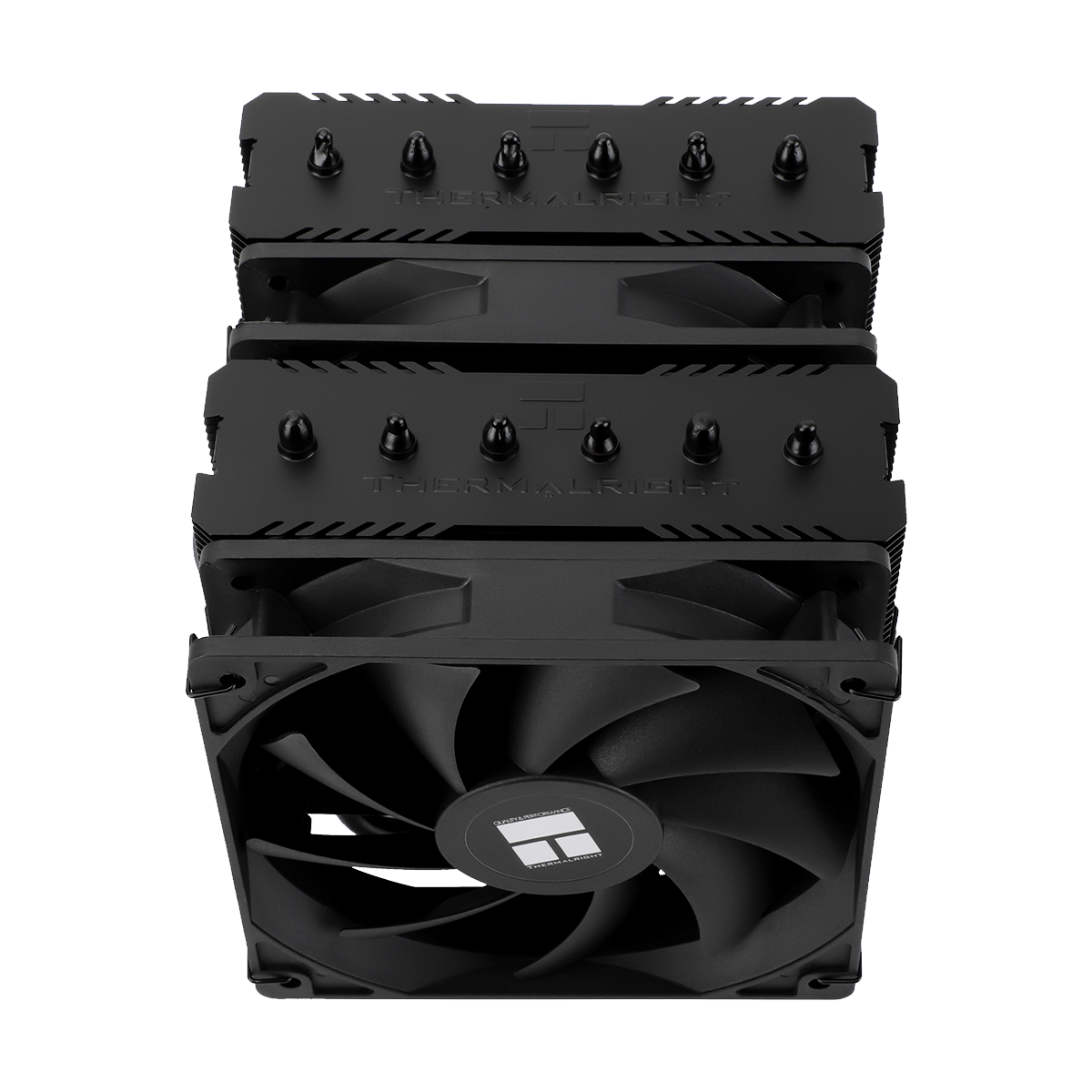
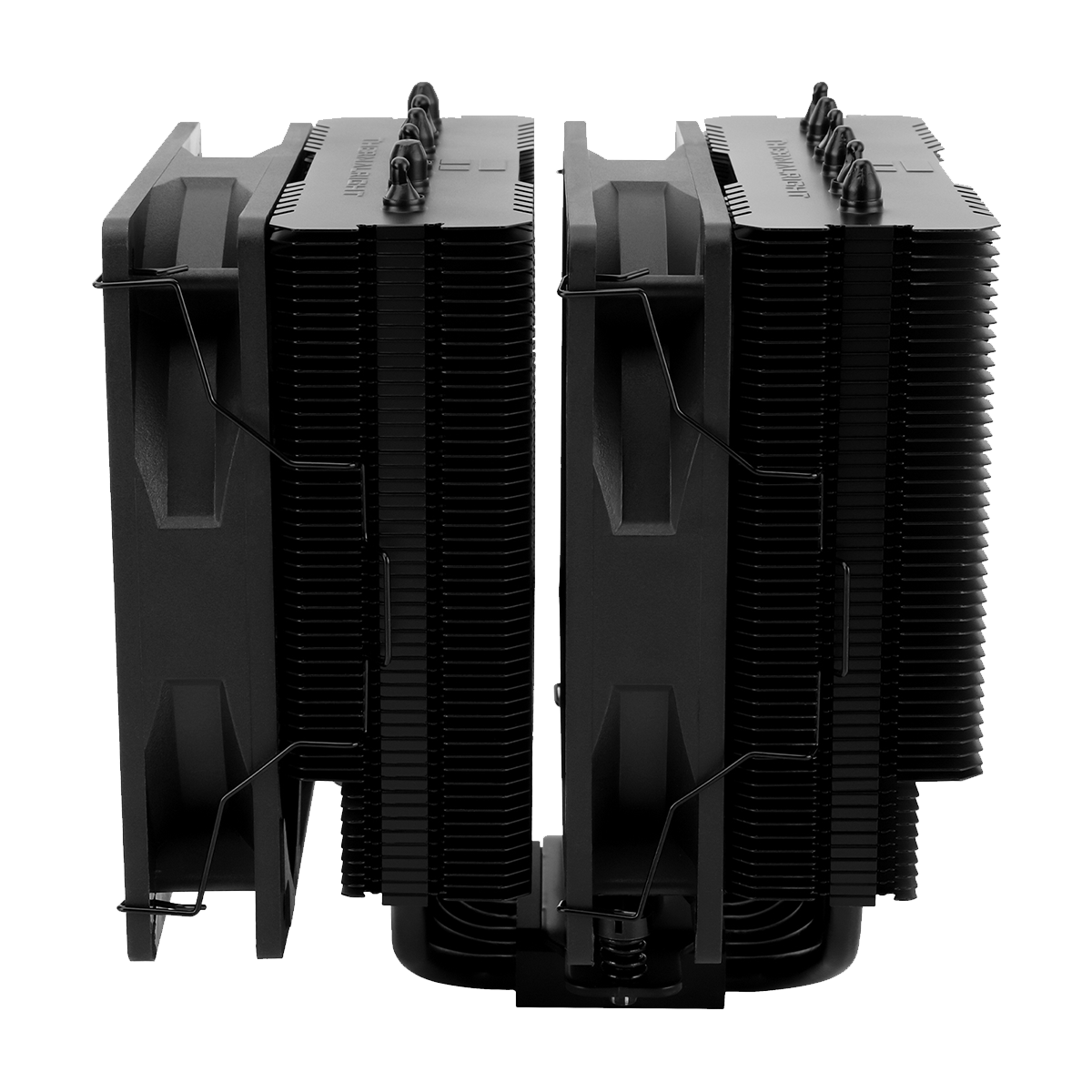
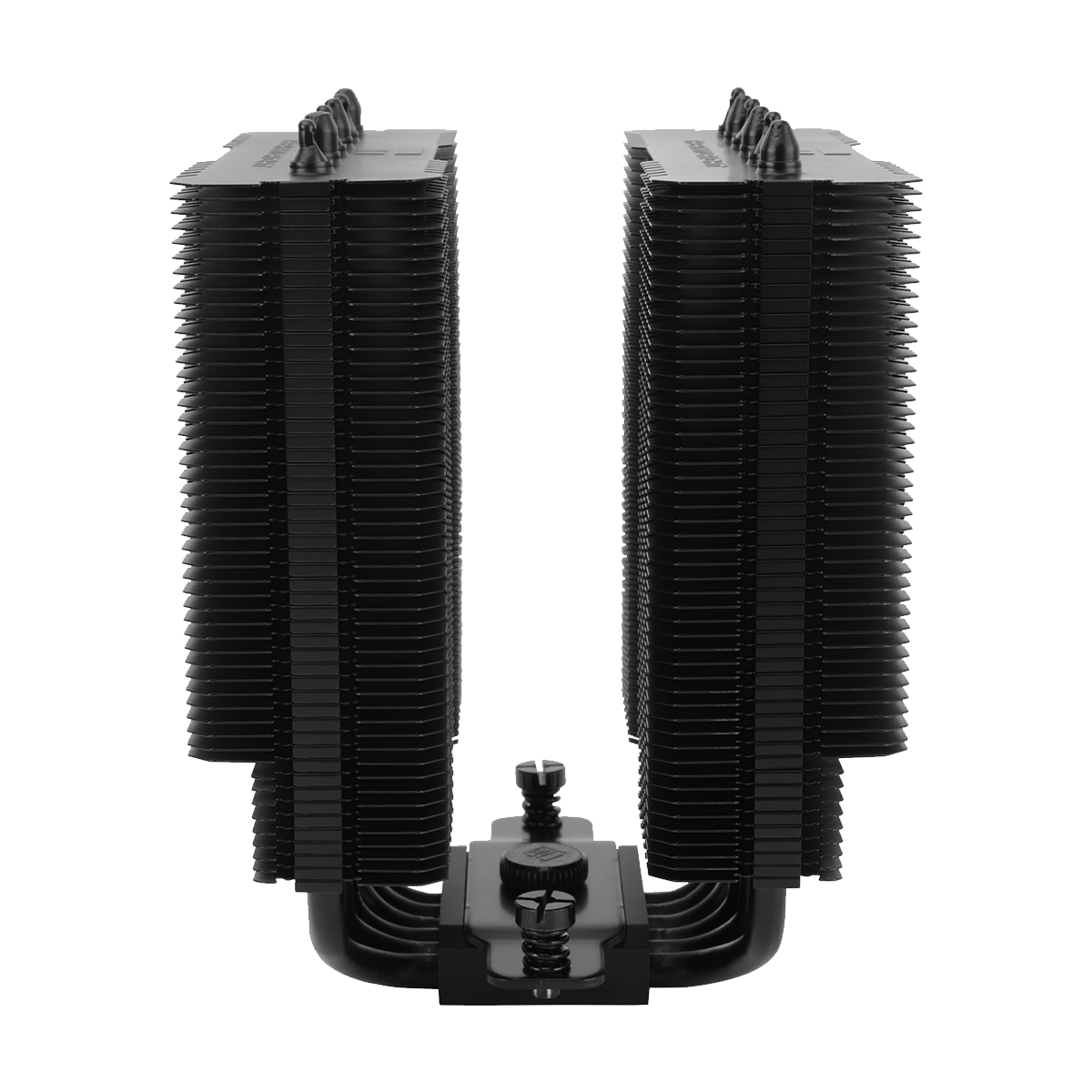
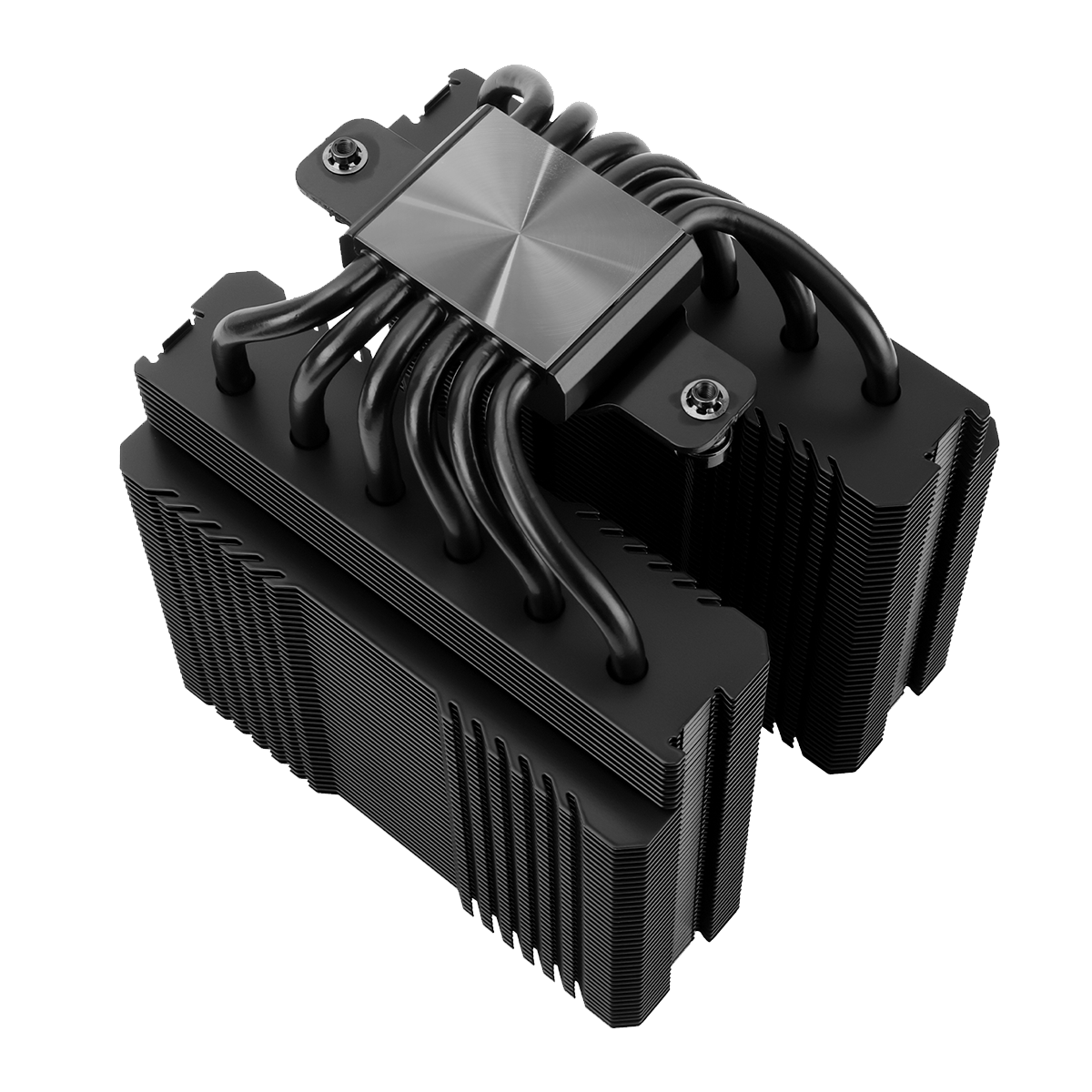
After doing some research, I decided on the Thermalright Peerless Assassin 120 SE* for the following reasons:
- Almost unbeatable price/performance ratio (€34!)
- Looks good, even if that’s not relevant in this case.
- Compact design, yet with space where it matters (RAM height).
- Compatible with socket 1511.
- The fan size is standard at 120 mm – so it can be easily replaced in case of a defect or upgraded with fans that promote more airflow to further increase cooling capabilities.
Here are a few pictures of this cooler:
 ⧉ Thermalright
 ⧉ Thermalright
 ⧉ Thermalright
 ⧉ Thermalright
 ⧉ Thermalright
 ⧉ Thermalright
Now that all cooling issues have been clarified, we can move on to putting together the other planned components.