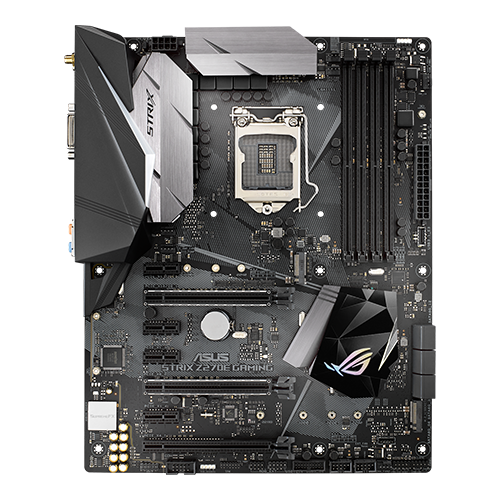
After upgrading the processor for potential peak performance, a motherboard was needed that could deliver this.
There are several good motherboards with compatible Z170 or Z270 chipsets (Z170 only after a BIOS update). The Z170 boards were released in tandem with the i7-6700K as the top model, while Z270-based boards were released with the i7-7700K. Only Intel motherboards with Z chipsets allow overclocking of the CPU and RAM.
Because you shouldn’t completely ignore the price/performance ratio and the i7-7700K has been around for a few years now, I started looking on the second-hand market (new compatible motherboards haven’t been available for a long time anyway).
My requirements:
- ATX or E-ATX format
- At least one M.2 slot with NVMe compatibility
- Four DIMM slots
- Powerful VRMs with good heat sinks
- If possible, best with Z270 chipset (Union Point), even if little has changed compared to the Z170
- Stable power supply for the CPU (VCore)
- Compatibility with as many cooling solutions as possible
- OPTIONAL: Integrated Wi-Fi and Bluetooth for flexibility
Seek and you shall find:
I’ve always been impressed by ASUS ROG products, even though they are usually overpriced.
After doing some research on which boards would be suitable and spending several weeks looking for suitable candidates on eBay, I finally found what I was looking for.
One morning, a private seller listed the ASUS ROG Strix Z270-E Gaming motherboard, with the option to make a price suggestion. An ATX board with impressive specs and one of my favorites. The description was sparse, “Works.” – I made an offer anyway, and it was accepted a day later – ~€82 including shipping.
I can’t complain if it arrives in one piece.
A few days later, the board arrived. There were no accessories except for the cover, which came in a box for a different motherboard. Since the Socket 1511 is an LGA socket and the contacts are therefore located on the motherboard, the most important thing was to make sure that these contacts were undamaged. The cap that normally protects them when they leave the factory was also missing. After a thorough inspection, however, the socket looked really good and the rest of the board also appeared to be undamaged, apart from a little dust here and there.
After doing some research, I discovered that this specific model was available with or without Wi-Fi + Bluetooth. I had gotten the model with integrated Wi-Fi + Bluetooth. That’s great, because Wi-Fi 5 (IEEE 802.11ac) and Bluetooth v4.1 are not bad additions.
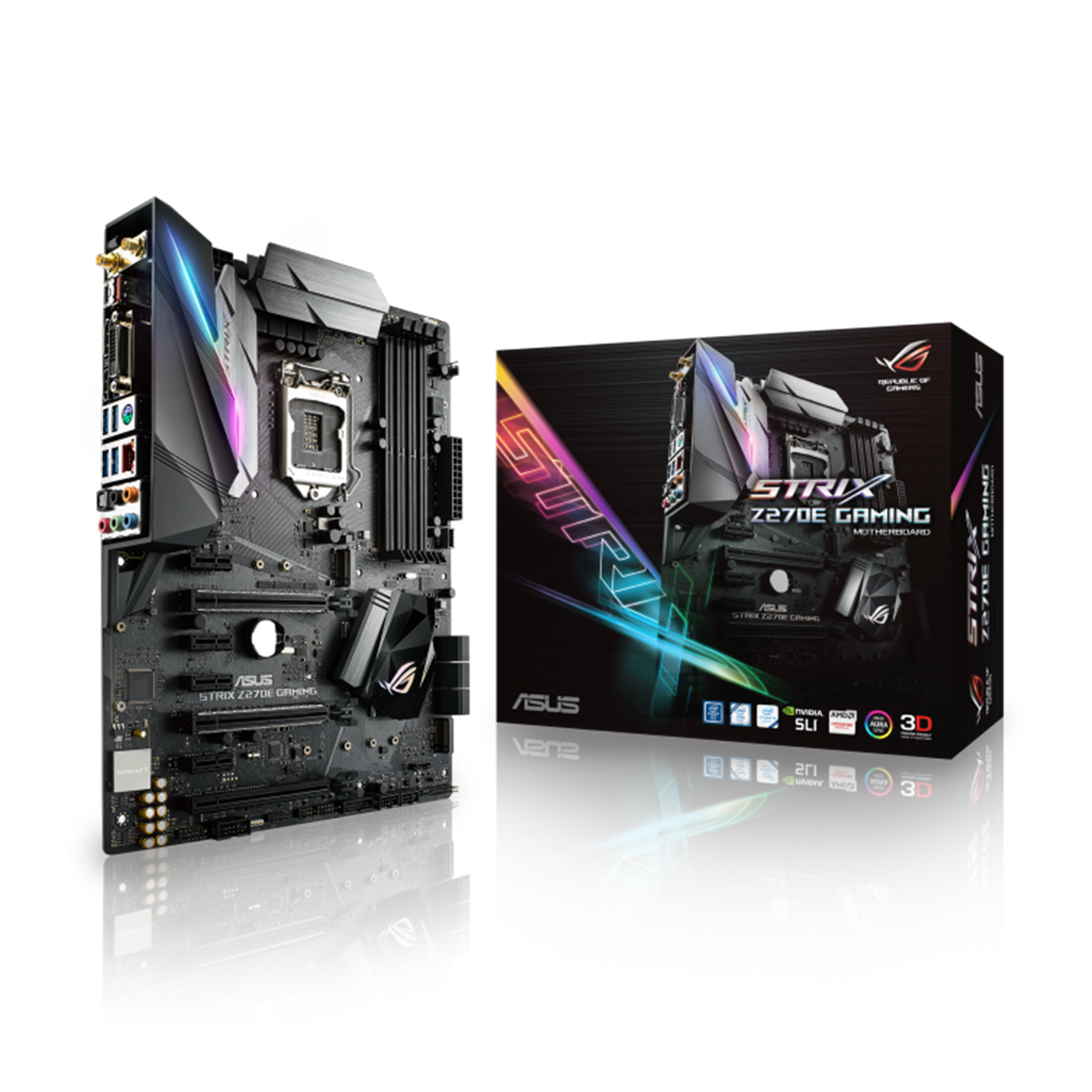
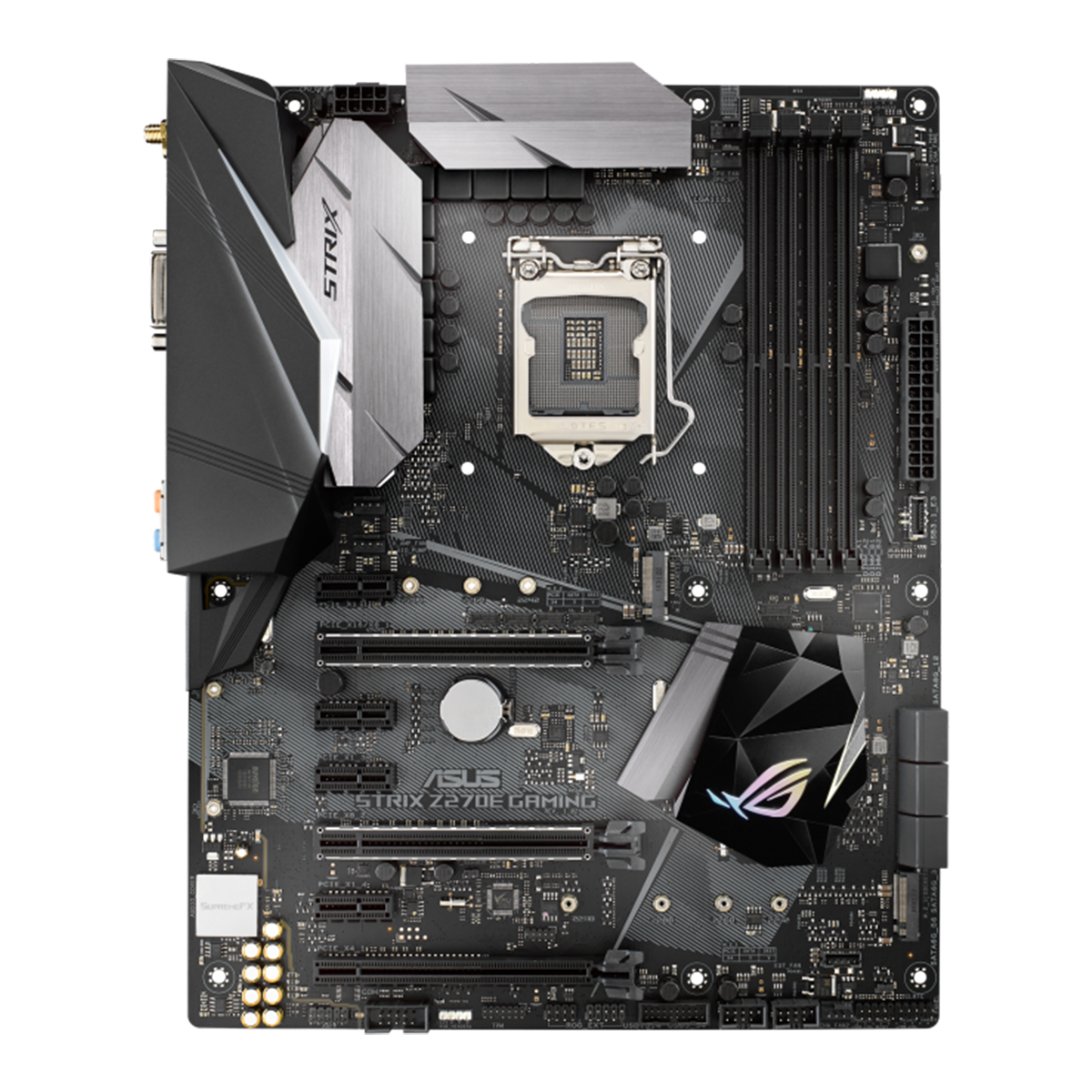
An overview of the ASUS ROG Strix Z270-E GAMING:
Click here for the test from back then. This board even exceeds some of the requirements, for example, it supports two fully connected M.2 SSDs with 4 PCIe 3.0 lanes each, which can only be a good thing, as well as integrated Wi-Fi and Bluetooth.
 ⧉ ASUS
 ⧉ ASUS
 ⧉ ASUS
Here are the most important technical data:
| CPU Support Socket | Intel Core – 6. and 7. Generation LGA 1511 |
| Chipset (PCH) | Intel Z270 With CPU in total 24 PCIe 3.0 Lanes |
| RAM Type Possible clock speeds | 4 DIMMs, total max. 64 GB (128 GB would most likely also work) DDR4, Non-ECC, Unbuffered (UDIMM) 3866(OC) / 3733(OC) / 3600(OC) / 3466(OC) / 3400(OC) / 3333(OC) / 3300(OC) / 3200(OC) / 3000(OC) / 2800(OC) / 2666(OC) / 2400 / 2133 MHz |
| PCI-Express Slots | 2 x PCIe 3.0/2.0 x16 (x16 or Dual x8) 1 x PCIe 3.0/2.0 x16 (x4 mode) 4 x PCIe 3.0/2.0 x1 |
| Storage | 1 x M.2 Sockel – M Key, Typ 2242/2260/2280 (PCIe only) 1 x M.2 Sockel – M Key, Type 2242/2260/2280/22110 (PCIe or SATA) 6 x SATA 6Gb/s Ports Raid 0, 1, 5, 10 capable |
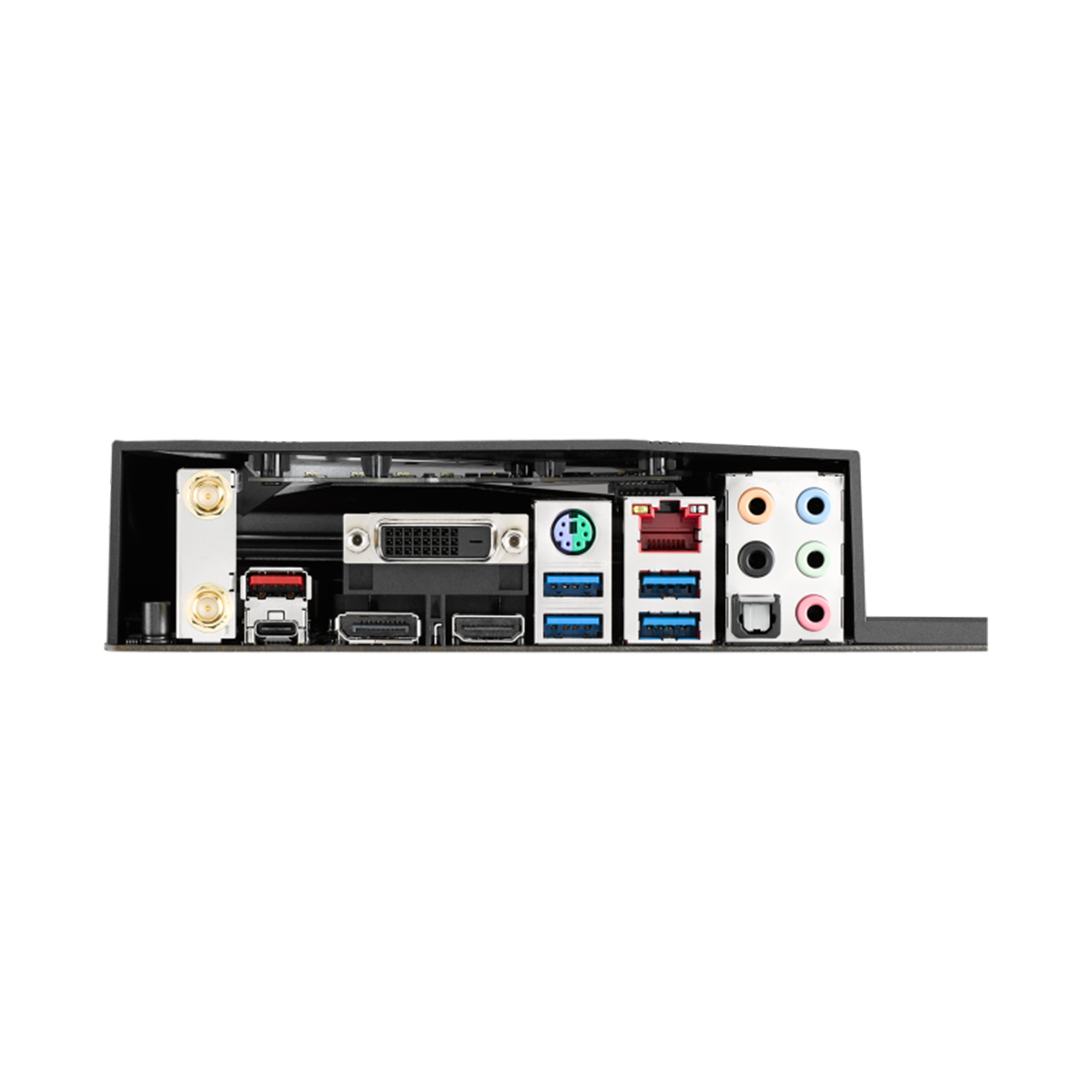
| LAN, Wifi & Bluetooth | Intel I219V Gigabit LAN Qualcomm Atheros Wi-Fi 802.11 a/b/g/n/ac Dual Band, MU-MIMO Bluetooth v4.1 |
| USB | Intel Z270 Chipset: 2 x USB 3.1 Typ A + USB Type-C 1 x USB 3.1 Gen 2 (Header) 1 x USB 2.0 4 x USB 2.0 (Header) ASMedia USB 3.1 Gen 2 Controller: 6 x USB 3.0 (4 at I/O-Shield, Blau, 2 -> Header) |
| Miscellaneous | Fan connectors – all as 4-pin PWM: 2x CPU 2x chassis 1x AiO pump 1x high current 2x RGB headers |
The motherboard, together with the CPU, provides 24 fast PCIe 3.0 lanes.
These are good prerequisites for connecting everything you need:
- 16 lanes for the first x16 slot, for a dedicated graphics card (or x8 x8 for both physical x16 slots on this board)
- 4 lanes for the NVMe SSD with the operating system
- 4 lanes to connect the PCH (chipset)
It’s immediately apparent why the additional 4 lanes in Z270 vs. Z170 represent a genuine improvement.
NVMe was still expensive and only just emerging at the time, but today it is state of the art and allows even this relatively old hardware to perform at its best. However, the optional second M.2 NVMe SSD would then be powered by the PCH with slightly less theoretical throughput and would disable two SATA ports when in use. Nevertheless, it is still much faster than SATA.
The 4 lanes to the PCH supply the remaining components on the motherboard, i.e., SATA, USB, Ethernet, etc.
Use the integrated graphics unit?
I like the digital image outputs (some motherboards from different manufacturers have these chipsets, so it’s nothing exclusive), which allow you to use the graphics unit integrated in the processor in an energy-efficient way. Especially considering the later intended use of the whole thing, it’s an advantage not to have to use a dedicated graphics card. The following specifications can be achieved:
| DVI-D | 4K not possible Maximum: 1920 x 1200 @ 60 Hz |
| HDMI v1.4b | 4K (3840×2160) @ 30 Hz Maximum: 4096 x 2160 @ 24Hz |
| DisplayPort v1.4 | 4K (3840×2160) @ 120 Hz Maximum: 4096 x 2304 @ 60 Hz Even HDR10 is possible! |
The DisplayPort looks really good, possibly in combination with an adapter to HDMI v2.0*.
The capabilities of the integrated graphics unit have already been described in the overview of the CPU.
Cleaning:
As a preparatory measure, I thoroughly cleaned* the motherboard—first removing the heat sink from the PCH die and the VRMs, then the plastic cover over the connectors.
I then blew everything clean and brushed it with a soft plastic brush*.
Now the journey could continue.