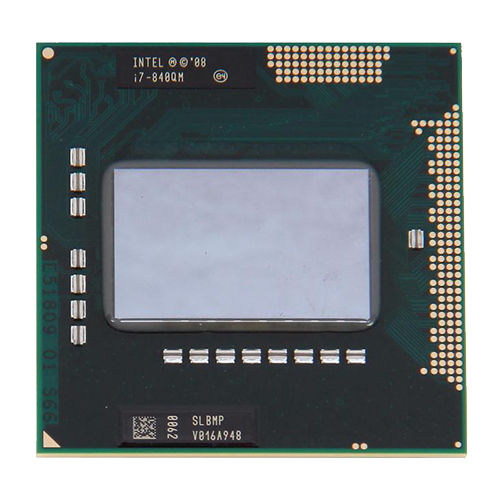
To get an overview of the ordering options that were available at the time and are therefore guaranteed to be compatible, the documents from HP are helpful:
The original service and maintenance manual for both models can be found here:
https://www.levnapc.cz/ProductsFiles/hp-elitebook-8540p-8540w-manual-en.pdf (archive.org)
On page 78, there is a nice list of supported processors:
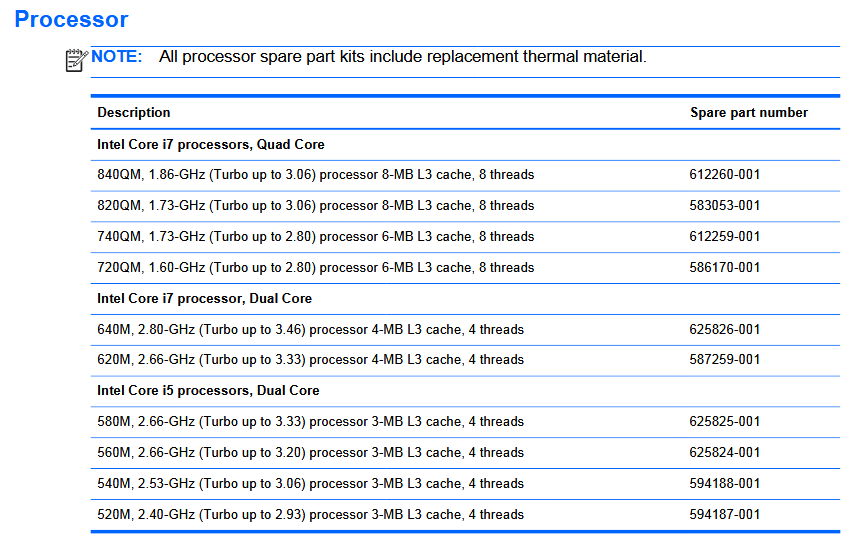 ⧉ HP
⧉ HPA decision must be made…
We see that, with the intended use in mind, a decision must be made as to whether the goal should be to maximize the performance of a single core (in this case, probably a dual-core CPU with two cores) or to have more cores (quad-core CPU with four cores).
The number of cores in a processor does not generally determine the maximum possible performance of a single computing core, but in this particular case, it makes sense to choose between these two options. It will always be a compromise, but Intel’s Turbo Boost mitigates this significantly, as we will see.
The i5 and i7 processors in this list all additionally support “hyper-threading,” meaning they can process four threads with two cores and eight threads with four cores. This increases efficiency and boosts performance.
But first, let’s take a look at what CPUs were actually available for this socket, because just because HP lists these specific models for release doesn’t mean that only these will work in the 8540p.
Does it make sense to look at other processor models from the same generation?
Support is generally determined by Intel’s code module, which is integrated into the BIOS by the manufacturer (in this case, HP). This is often compatible with all or most of a particular CPU generation, regardless of what the manufacturer configures/sells/equips.
In this case, Nehalem or Westmere as the overarching architecture, Clarksfield or Arrandale as the name of the core design. In this first generation of Core i processors, the whole thing is still a bit confusing; later, with a few exceptions, there were always only models within one architecture and one core design.
A good list can be found here, based on the chipset:
https://www.cpu-upgrade.com/mb-Intel_(chipsets)/QM57_Express.html (archive.org)
Now we have an overview of the possible options:
These are the most useful processors with two cores and four threads (dual-core with hyper-threading):
| Designation Lithography | Data |
|---|---|
| i7-640M (SLBTN) Arrandale (32 nm) 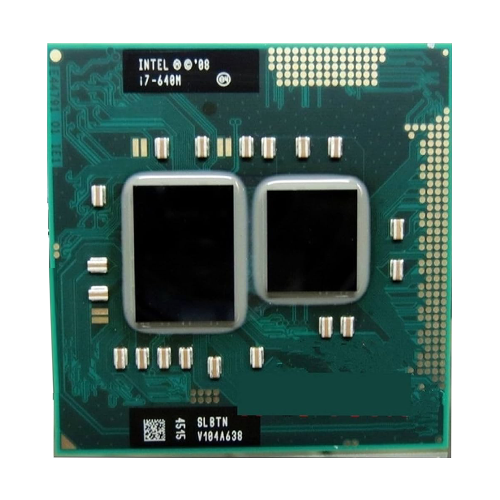 | Most powerful dual-core, with HP support Base clock: 2.80 GHz Cores / max. Turbo-Boost: 1 – 3.46 GHz 2 – 3.20 GHz Caches: L1 : 128 KB L2: 512 KB L3: 4 MB Possible RAM clocks: 800 MHz or 1066 MHz TDP: 35 Watts Integrated HD Graphics (Ironlake), uninteresting due to dedicated GPU in the 8540p, but potentially important for other notebooks! |
| i7-620M (SLBPD – C2 | SLBTQ – K0) Arrandale (32 nm) 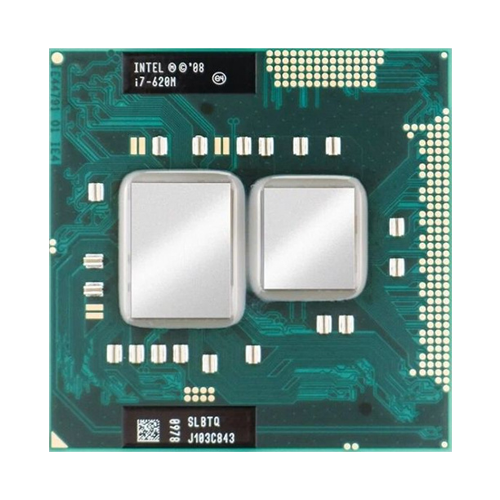 | Base clock: 2.66 GHz Cores / max. Turbo-Boost: 1 – 3.33 GHz 2 – 3.06 GHz Caches: L1 : 128 KB L2: 512 KB L3: 4 MB Possible RAM clocks: 800 MHz or 1066 MHz TDP: 35 Watts Integrated HD Graphics (Ironlake), uninteresting due to dedicated GPU in the 8540p, but potentially important for other notebooks! |
If we want a powerful processor with four cores and eight threads (quad-core with hyper-threading) to be more flexible with applications and have more reserves, these models are worth considering:
| Designation Lithography | Data |
|---|---|
| i7-940XM (SLBSC) Clarksfield (45 nm) 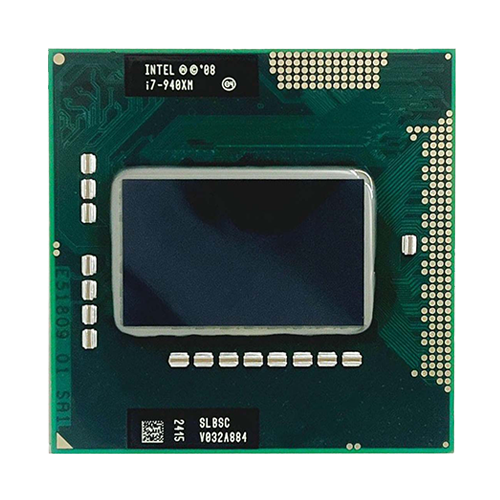 | Most powerful quad-core Base clock: 2.13 GHz Cores / max. Turbo-Boost: 1 – 3.33 GHz 2 – 3.20 GHz 3 – 2.40 GHz 4 – 2.40 GHz Caches: L1 : 256 KB L2: 1 MB L3: 8 MB Possible RAM clocks: 1066 MHz or 1333 MHz TDP: 55 Watts No integrated graphics! |
| i7-920XM (SLBLW) Clarksfield (45 nm) 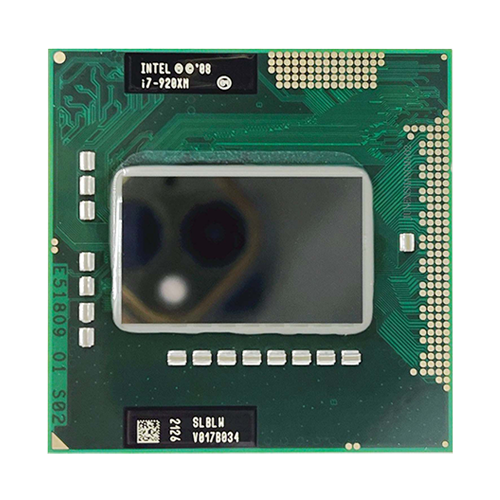 | Base clock: 2.00 GHz Cores / max. Turbo-Boost: 1 – 3.20 GHz 2 – 3.06 GHz 3 – 2.26 GHz 4 – 2.26 GHz Caches: L1 : 256 KB L2: 1 MB L3: 8 MB Possible RAM clocks: 1066 MHz or 1333 MHz TDP: 55 Watts No integrated graphics! |
| i7-840QM (SLBMP) Clarksfield (45 nm) 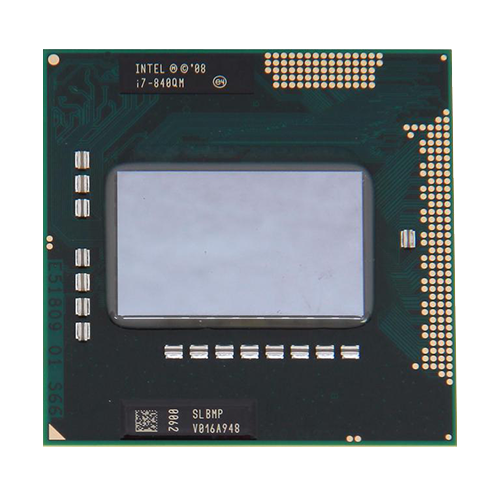 | Most powerful quad-core with HP support Base clock: 1.86 GHz Cores / max. Turbo-Boost: 1 – 3.20 GHz 2 – 2.93 GHz 3 – 2.00 GHz 4 – 2.00 GHz Caches: L1 : 256 KB L2: 1 MB L3: 8 MB Possible RAM clocks: 1066 MHz or 1333 MHz TDP: 45 Watts No integrated graphics! |
| i7-820QM (SLBLX) Clarksfield (45 nm) 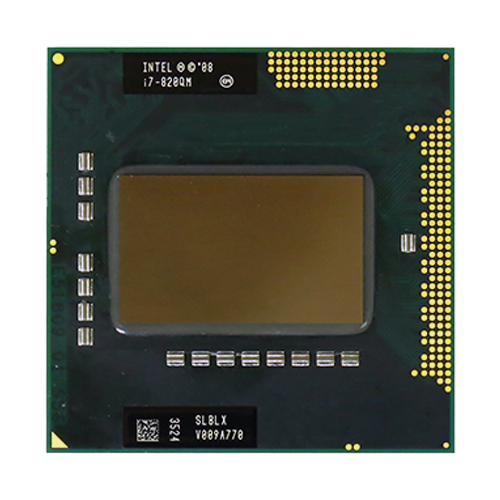 | Base clock: 1.73 GHz Cores / max. Turbo-Boost: 1 – 3.06 GHz 2 – 2.80 GHz 3 – 1.86 GHz 4 – 1.86 GHz Caches: L1 : 256 KB L2: 1 MB L3: 8 MB Possible RAM clocks: 1066 MHz or 1333 MHz TDP: 45 Watts No integrated graphics! |
Digression: Model selection
A general note on the topic of “always choosing the largest model”:
The mobile Extreme series (identified by “XM”) has a TDP of 55 watts, which is 10 watts more than the maximum specified by HP.
This may or may not work. Furthermore, these models are not included in HP’s support list.
In addition, these models (i7-920XM and i7-940XM) can be overclocked, which is not permitted by HP’s BIOS and therefore offers no added value. At the same time, these models in particular are often many times more expensive when purchased second-hand for various reasons, simply because they are the “largest” models (“Extreme!”). Marketing is “a hell of a drug.”
I always recommend looking at several models close to the top of the performance range and comparing them.
I can think of an example when I upgraded the first-generation dual-core i3 processor in an Acer desktop PC (which now serves as a workshop PC, more on that in another post):
The largest supported processor would have been an i7-880, but it was virtually unavailable anywhere and was almost prohibitively expensive when new. The next smallest model would have been an i7-870 – at the time, this cost well over €40 on the usual platforms (it is now also available at a reasonable price).
I ended up with an i7-860. Why?
€12 including shipping. Performance?
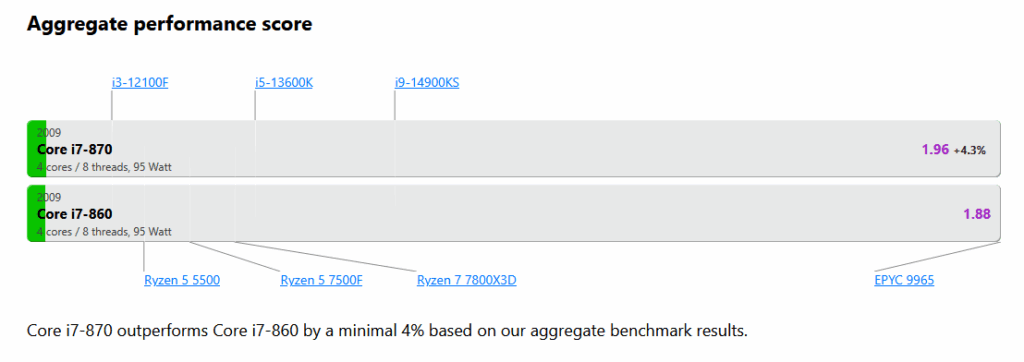
A ridiculous difference. Saved quite a bit of money back then without really losing anything technically.
One should never forget that everything that is upgraded or retrofitted and is of this age is only touched for “reasons,” be it nostalgia, and that it is rarely financially worthwhile. Triple the price for 4% would be an example of irrationality.
Let’s move on to the processor selection:
Returning to the 8540p, these two models were options for me due to their reasonable used price at the time:
| i7-620M | Price/performance at the time of best dual-core |
| i7-840QM | Price/performance at the time of best quad-core |
These two are actually from two different architectures and were manufactured using two different lithography processes. Both are on HP’s support list, which is good.
What is the difference in performance? It must be significant, right?
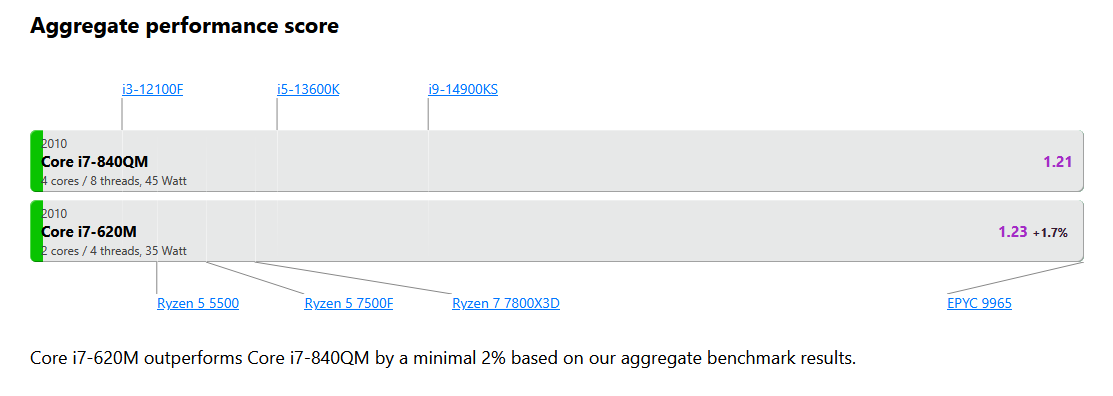
I’ll sum it up with “Wow, the dual-core isn’t really any faster on one core, which is unexpected“.
Of course, that’s only half the story, as you can see from the table above—the quad-core model slows down significantly more under increasing load and consumes 10 watts more than the dual-core.
Nevertheless, I’ve made my decision, especially after looking at the meaningful individual performance in Cinebench R10:
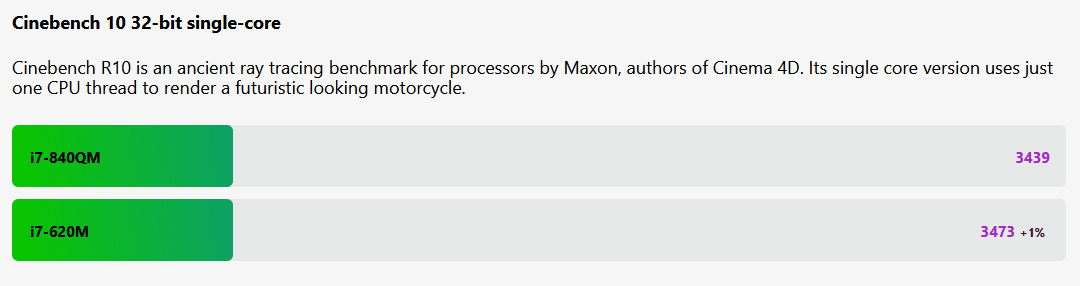
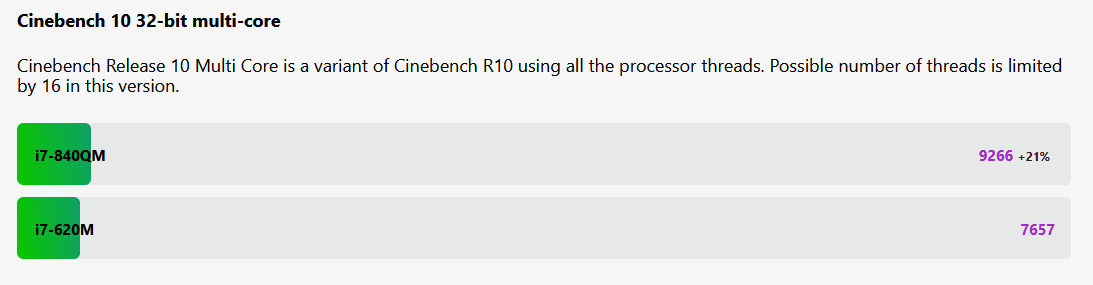
In our case, it will be the i7-840QM. For me, double the number of cores is a good trade-off for a minimal loss in single-core performance. Especially since four cores are now the low-cost entry-level standard, and more cores and threads can only be beneficial for modern software. Nevertheless, it is remarkable how well the i7-620M performs in comparison in the multicore test; the improvement or reduction of the lithography process from 45 nm to 32 nm is having an effect.
Apart from that, the more powerful quad-core processors have twice as much L3 cache with 8 MB, which greatly increases performance in some situations. Not to be forgotten is the higher possible RAM clock speed (1066 MHz maximum for the dual-core processors vs. 1333 MHz for the quad-core processors).
For the sake of completeness, here is a comparison of the then-flagship i7-940XM with the i7-840QM:
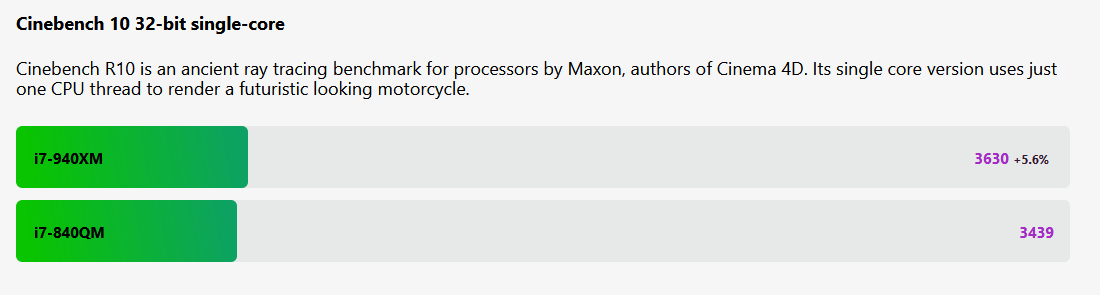
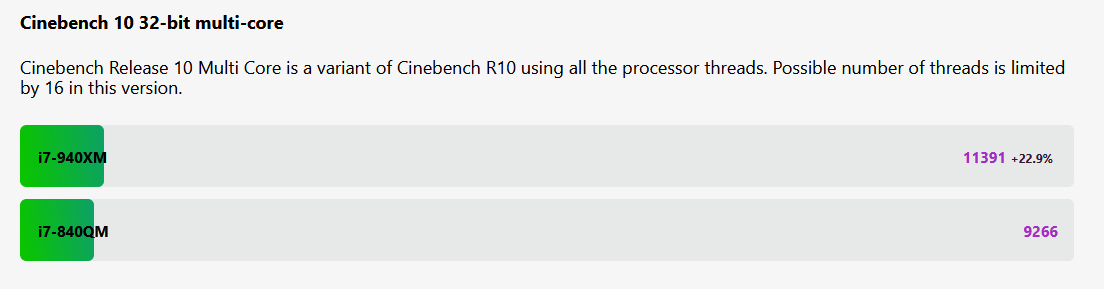
It’s funny how the TDP increase from 45 watts in the i7-840QM to 55 watts in the i7-940XM can be converted almost directly into multi-core performance, as 10 watts more corresponds to 22.22%, meaning that performance scales almost exclusively through more energy.
The 10 watts “saved” regardless of price will become important later on when the thermal and electrical power budget of the 8540p becomes tighter.
Detailed view and notes:
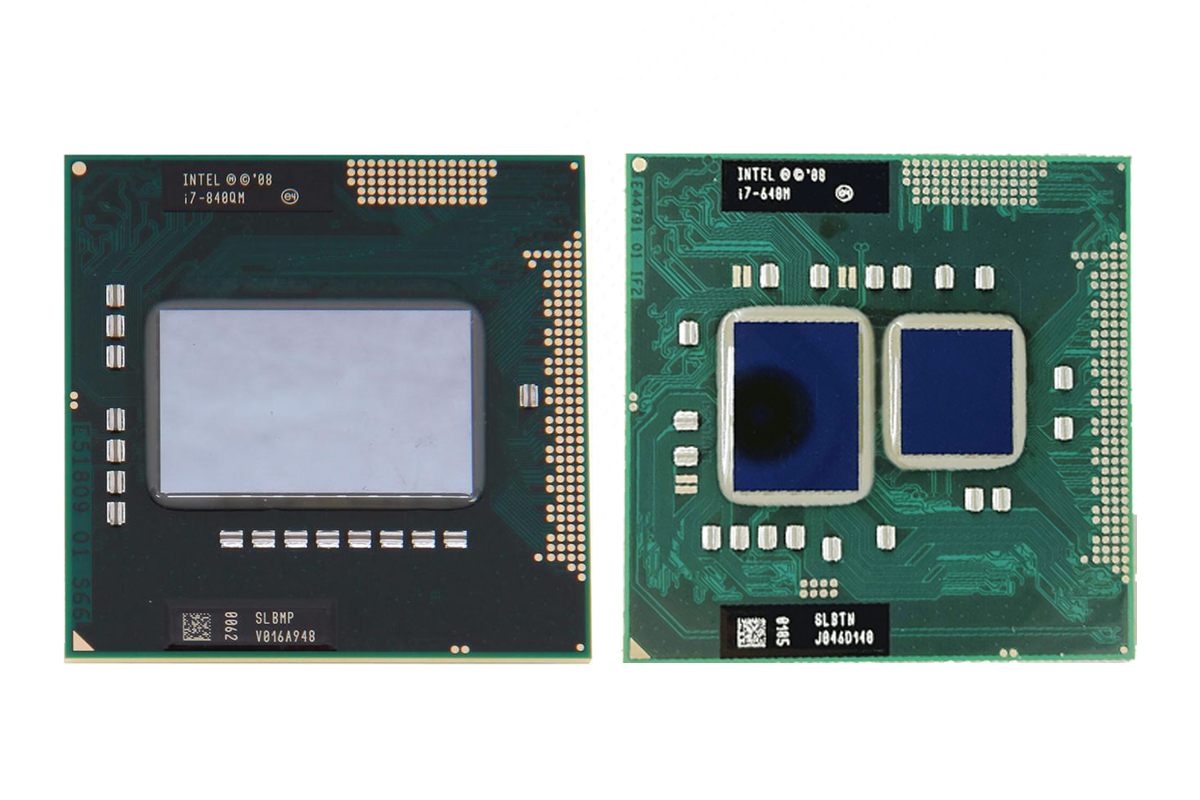
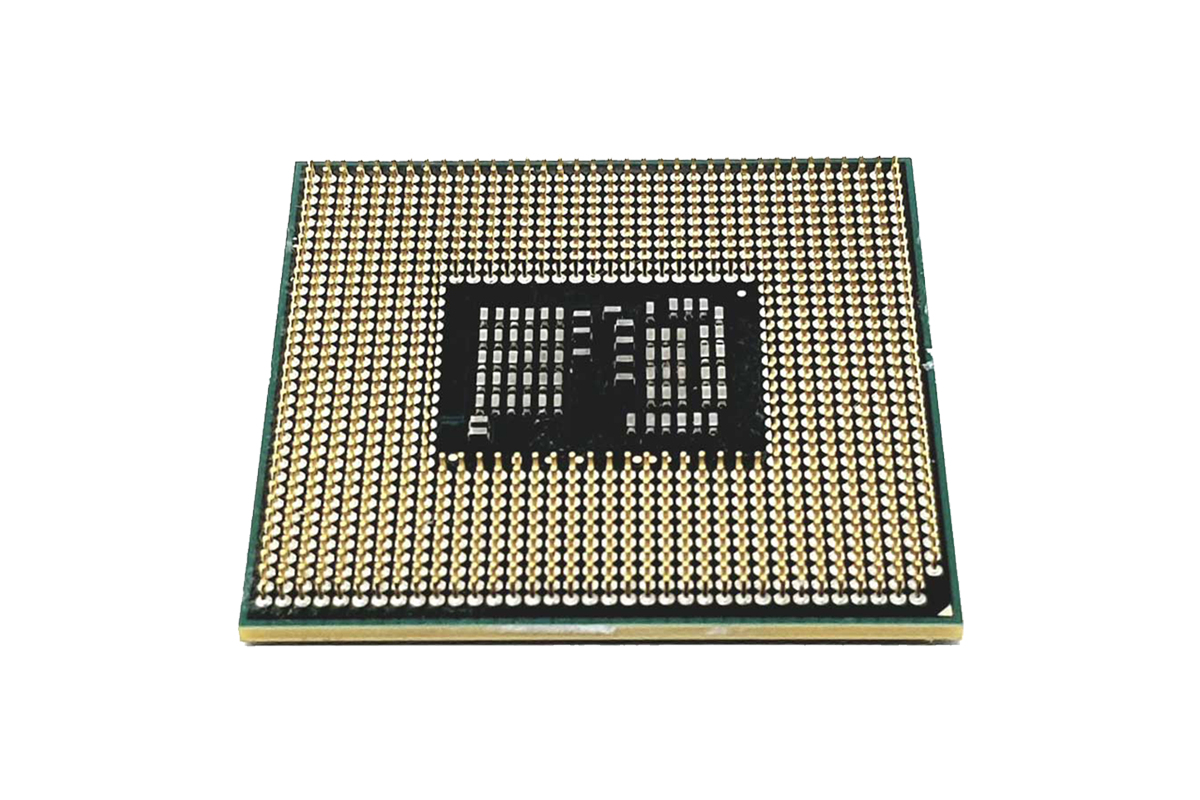
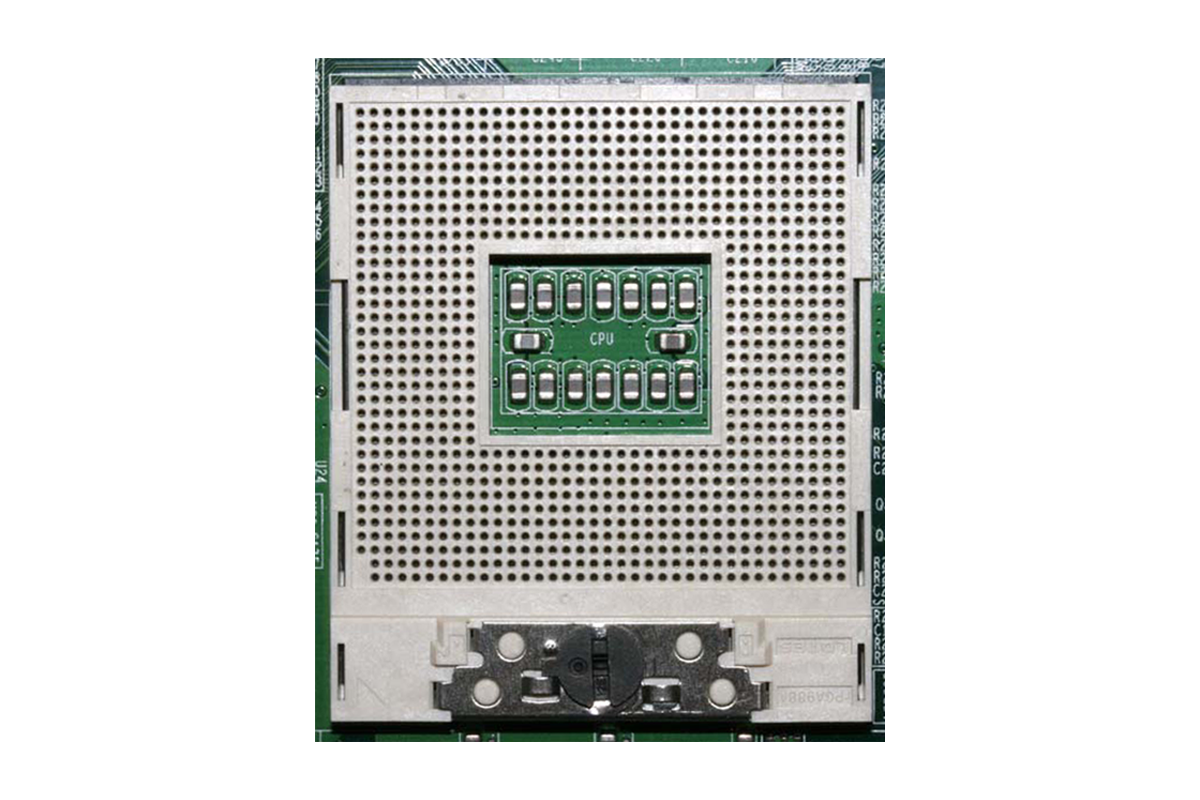
Until Intel’s fourth generation of mobile processors (Haswell), there were both soldered (BGA – Ball Grid Array) and socketed models (PGA – Pin Grid Array). Since then, only soldered models have been available for mobile devices, which makes upgrading or retrofitting nearly impossible (only with specialized, expensive BGA equipment) and very risky.
Here you can see the two first-generation CPUs from the table above.
The pins and the corresponding socket are also visible. Note the golden arrow on the CPU, which indicates the installation direction (there is also an arrow on the socket at the bottom left, which is barely visible).
 ⧉ Intel
 ⧉ Intel
 ⧉ Intel
General conclusion:
For anyone who is solely interested in single-core performance that should be sufficient under all (realistic) circumstances (i.e., even under higher loads), I highly recommend the i7-640M dual-core processor with 35 watts TDP, provided it is available at a reasonable price. This “saves” another 10 watts compared to the quad-core processors, which also benefits the GPU thermally.
For notebooks without a dedicated GPU, this is the best possible CPU of this generation anyway, thanks to its integrated graphics.
With the quad-core processors, the price is basically the deciding factor, although I would consider the i7-840QM I chose to be the maximum, as 45 watts is already close to or above the thermal limit in combination with a powerful GPU.
Don’t forget:
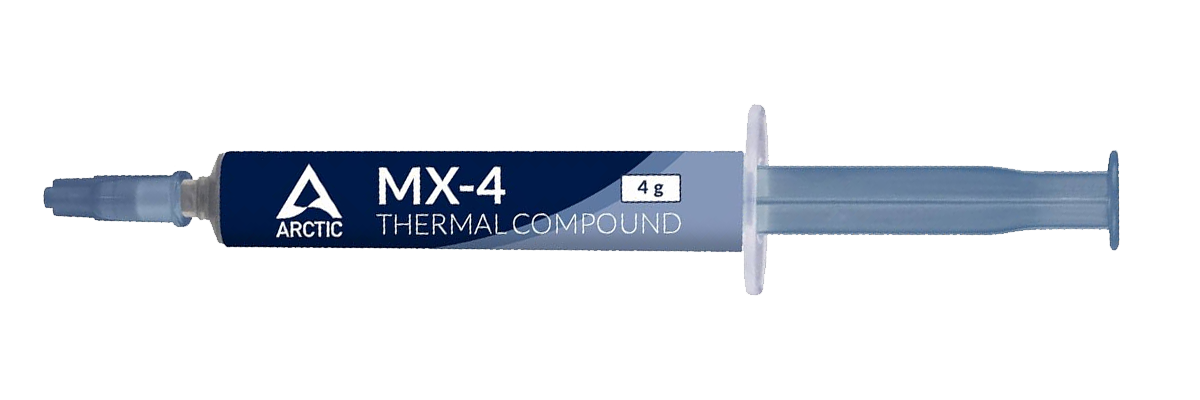
If the processor is to be replaced, the thermal paste on the CPU and GPU must be replaced.
I recommend Arctic MX-4*, which I have had good experience with over many years:
 ⧉ Arctic
Let’s move on to the memory (RAM).