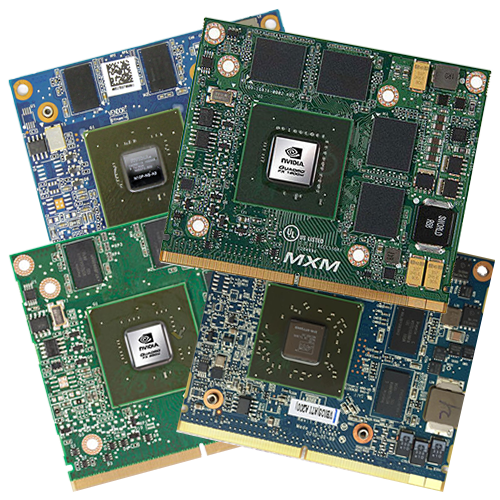
The familiar service manual also helps, at least in part, with this latest “major” hardware upgrade: https://www.levnapc.cz/ProductsFiles/hp-elitebook-8540p-8540w-manual-en.pdf (archive.org).
On page 80, there are some interesting things to say about graphics cards, and in this case, really “-cards”:
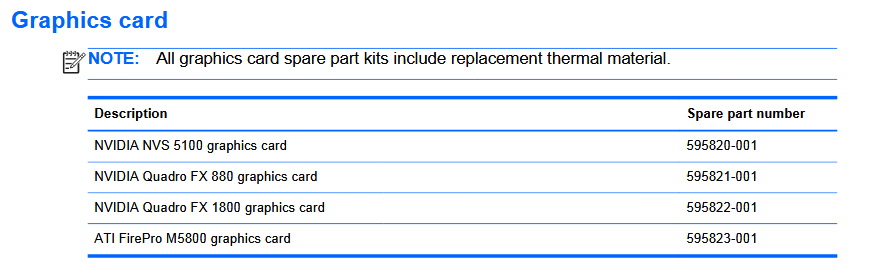
All of the EliteBook 8540p models I purchased had the smallest GPU installed – an Nvidia NVS 5100M with 1 GB GDDR3 as VRAM. This is specified with a TDP of 35 watts.
Until a few weeks ago, we had been using them for years without any problems – simply because the performance was sufficient for the (very) old games we play semi-regularly (EE, EE-Zde, AoE I and II, AoM, SS TFE and TSE, Anno, RCT, VG…) at 1600 x 900 on good to maximum settings.
Can the smallest GPU – the NVS 5100M – do more?
Yes, these small GPUs could be noticeably overclocked with MSI Afterburner, giving them a little extra performance. Of course, every silicon die is slightly different and can be overclocked slightly differently (or not at all, or only slightly). In our two 8540p devices, an NVS 5100M could be overclocked a little more than the one in the other device. Here is an overview:
| Original | Card #1: | Card #2: | |
|---|---|---|---|
| Core clock | 550 MHz | 680 MHz | 638 MHz |
| Core clock difference | – | +23,64% | +16% |
| Resulting shader clock speed | 1210 MHz | 1340 MHz | 1298 MHz |
| Shader clock difference | – | +14,05% | +7,27% |
| VRAM clock | 800 MHz 1600 MHz effective | 1000 MHz 2000 MHz effective | 935 MHz 1870 MHz effective |
| VRAM difference | – | +25% | +16,88% |
That’s very impressive, especially with the original voltage curve (which cannot be changed), and all that in a notebook!
Back then, Nvidia simply left more freedom and reserves in the silicon.
The overclocking was particularly noticeable in areas with low FPS (e.g., EE with a large number of units…).
Why upgrade if the performance is still not sufficient?
We were actually very satisfied with this GPU, even though it was very small.
But then… after years of loyal, maxed-out overclocked service, one of the EliteBooks started to shut down at irregular intervals with short black screens, often accompanied by driver crashes, which led to a permanently black window in 3D programs (games), even after the graphics driver had been restored, which was irretrievably permanently black.
Annoying, especially during LAN games.
And when you haven’t saved often enough. Which is basically always.
Reinserting the card, swapping them around, cleaning the contacts with 99% isopropanol*, applying new thermal paste*, even swapping the RAM between the systems (who knows if that would help?) – none of it worked. RAM tests over several days yielded no results. Even with the original clock speeds and even significantly underclocked, the dropouts still occurred, but less frequently.
The error also occurred independently of the operating system, so it soon became clear that it must be a hardware issue, probably one of the VRAM modules slowly giving up the ghost.
Replace or upgrade right away?
So there was a new goal that was never actually planned:
Replacing or upgrading the GPU – which, fortunately, was possible thanks to the MXM-A 3.0 slot.
Very few notebooks have something this great – if the GPU had been soldered in place, as is the case in most mobile devices, even back then (it’s simply cheaper to manufacture), the motherboard, including the GPU and VRAM, would have had to be replaced, which would have been completely unreasonable financially, and plug-in systems are also much better from an environmental perspective.
Especially since it would have been the same GPU again and again, at best a different one available from the factory, as can be seen above. However, MXM opens up significantly more possibilities – unfortunately, there is very limited information available on this specific topic about what is possible or, more importantly, what is not possible.
Let’s take a look at the options, starting with the most important one:
The EliteBook 8540p and 8540w have an MXM-A slot in version 3.0, which accepts cards with a maximum TDP of 55 W in the 82 × 70 mm format.
Now we can start our search.
The “safe” options that could also be ordered directly at that time:
Here are the GPUs that HP offered at the time, all in the appropriate MXM-A 3.0 format, of course, along with PassMark scores from technical.city for a rough classification of performance:
| GPU-Name | VRAM / Type clock | GPU clock | Shader | Architecture Lithography Chip | TDP | PassMark Points |
|---|---|---|---|---|---|---|
| Nvidia NVS 5100M | 1 GB GDDR3 1600 MHz | 550 MHz | 1210 MHz | Tesla 2.0 40 nm N10P-NS | 35 Watts | 199 |
| Nvidia Quadro FX 880M | 1 GB GDDR3 1580 MHz | 550 MHz | 1210 MHz | Tesla 2.0 40 nm N10P-GLM | 35 Watts | 230 |
| Nvidia Quadro FX 1800M | 1 GB GDDR3 1580 MHz | 560 MHz | 1125 MHz | Tesla 2.0 40 nm N10P-GLM4 | 45 Watts | 494 |
| ATI FirePro M5800 | 1 GB GDDR5 3200 MHz | 650 MHz | 650 MHz | TeraScale 2.0 40 nm 216-0772003 | 26 Watts | ~550 |
The ATI GPU seems to be relatively powerful, but for the reasons mentioned above, I would have preferred to stick with Nvidia.
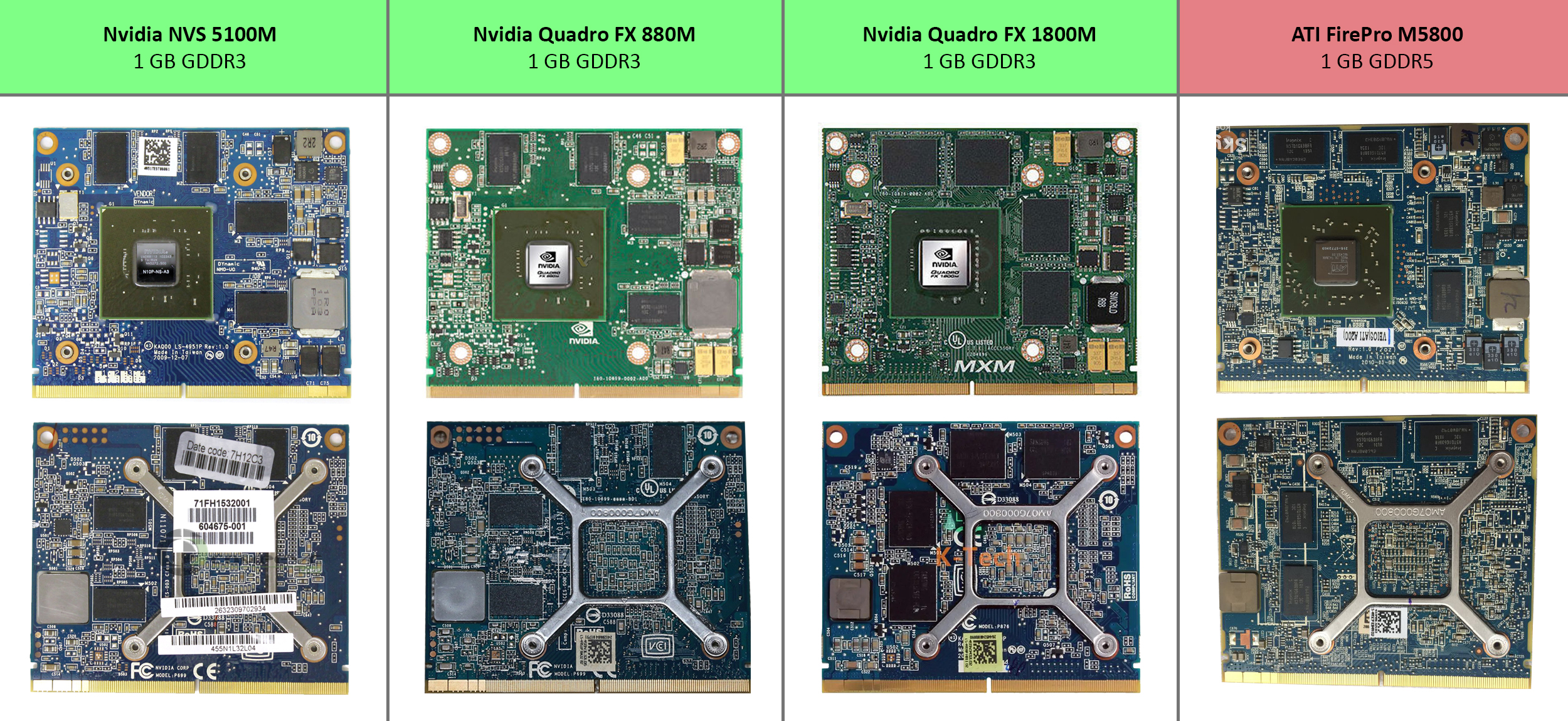
What do we see?
All of the options offered provide “only” 1 GB VRAM – not particularly satisfactory; an increase would be desirable if you are upgrading anyway. All cards use 8 memory chips with 128 MB (1024 Mbit) each, Nvidia always GDDR3, ATI the faster GDDR5 standard.
The NVS 5100M and FX 880M are virtually identical in terms of performance.
At first glance, the Nvidia Quadro FX 1800M looks the most interesting to me, even though the ATI offers slightly more performance.
It should also be mentioned that all cards in this table use PCI Express 2.0, so there is no difference worth mentioning. The EliteBook 8540p always provides x16 2.0 lanes on the MXM slot.
All three models from Nvidia are based on the Tesla 2.0 architecture, which means that these technologies are supported:
DirectX 10.1, OpenGL 3.3, Shader Model 4.1, CUDA 1.2 / 1.3, OpenCL 1.1
During our extensive research, we frequently encountered references to BIOS whitelists at HP, Dell, and Lenovo, often accompanied by YouTube comments providing valuable information, albeit in sometimes poor English. Does this also apply to MXM GPUs, meaning that only the cards listed in the HP table above will function? There are numerous uncertainties.
In the next post, I’ll continue with what else I found out and how I ultimately decided.