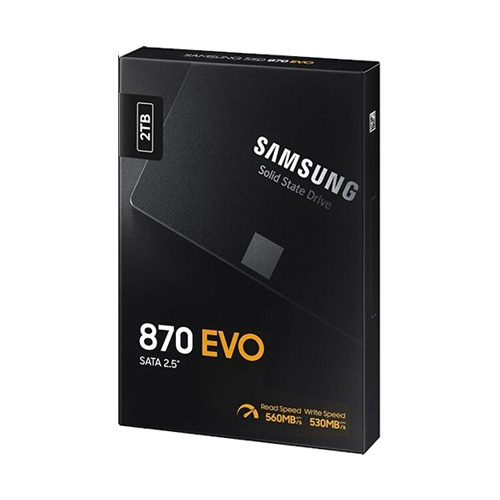
Since Windows XP can only handle MBR partitions, the boot drive is pretty obvious: it has to be a SATA SSD with 2 TB capacity, which is the maximum for MBR. Four of the eight SATA ports on the motherboard can handle SATA III, the other four only SATA II. Two of the fast ports come natively from the chipset, the other two are powered by an Asmedia add-on chip. It therefore makes sense to use these two fast native ports for the largest possible SSDs.
For all other drives, you should always keep the MBR limit of 2 TB in mind. NVMe, as a more modern data carrier, would be possible with a BIOS modification and PCI Express expansion card, but this is not really an option due to a lack of support from XP and potential problems with Windows 7. In addition, all graphics card slots are covered, so there is no room for more.
Once again, I installed an SSD from Samsung, specifically a Samsung 870 Evo with 2 TB capacity*. When it comes to data storage devices, I try to use Samsung SSDs wherever possible. So far, they have all worked well without exception and none have ever broken. I cannot say the same for other manufacturers. When it comes to hard drives, I’ve always preferred Western Digital or HGST.
I also wanted to install a DVD or Blu-ray burner, along with an internal card reader. This is typical for computers from the XP era. Therefore, one of the eight ports was used for the burner.
Hard drives?
I installed a relatively wild mix of hard drives that I had on hand anyway in order to make full use of the space and possibilities. In the end, I chose the two SATA SSDs on the fast native ports, two 3.5“ hard drives, two 2.5” hard drives for space reasons, and another 2.5″ SSD.
I will list the exact configuration later in the “Hardware Setup” section.