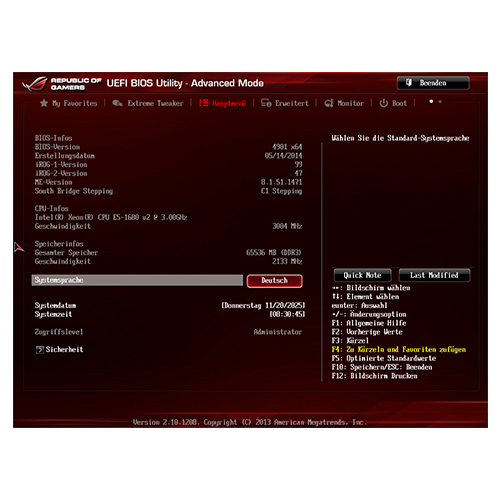
I proceeded as usual when overclocking the system. Requirements:
- BIOS to factory settings
- Clean Windows
- Benchmarking software available
- Preferably without internet
- Plenty of time and patience
- Not exactly midsummer
XMP first
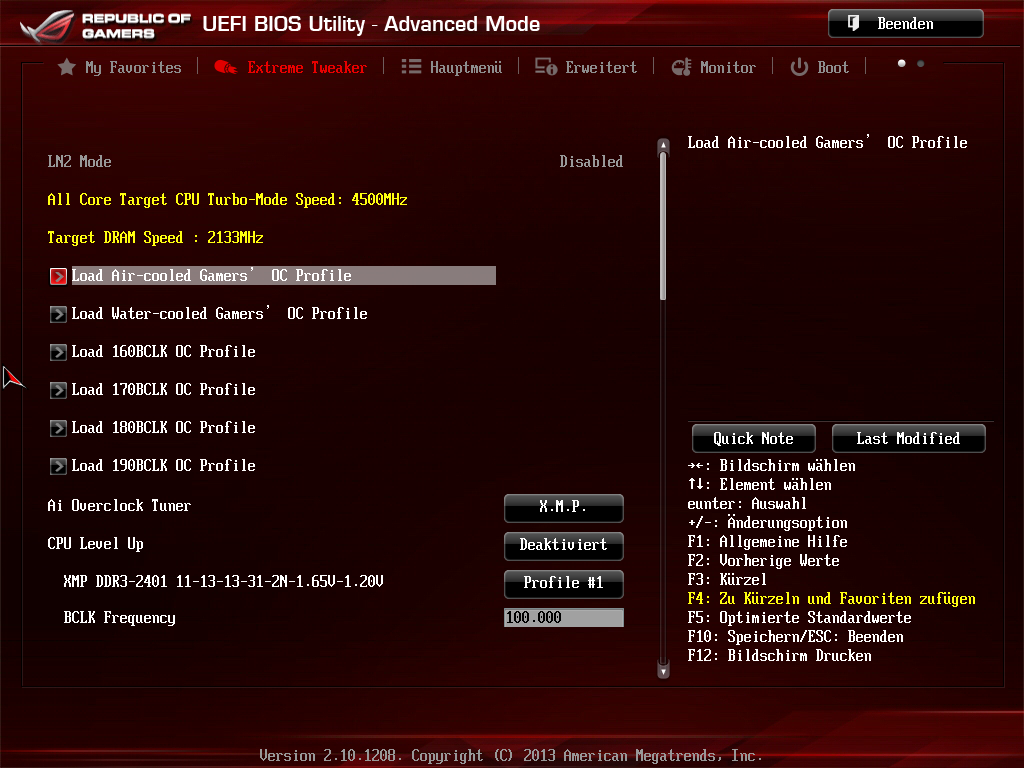
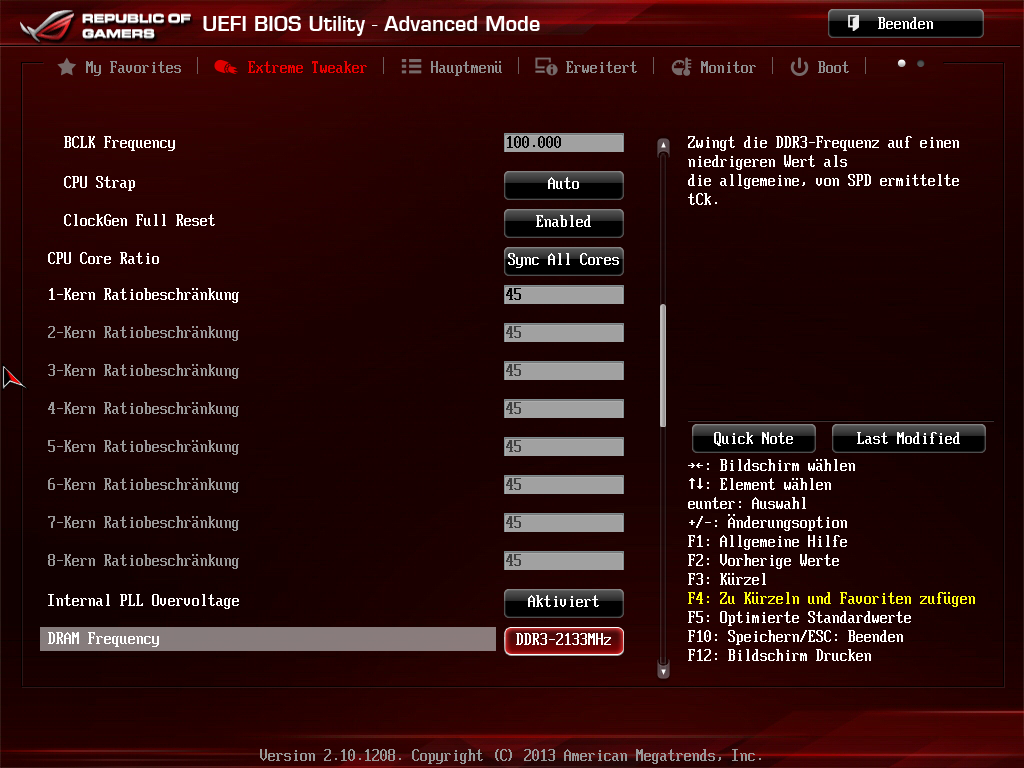
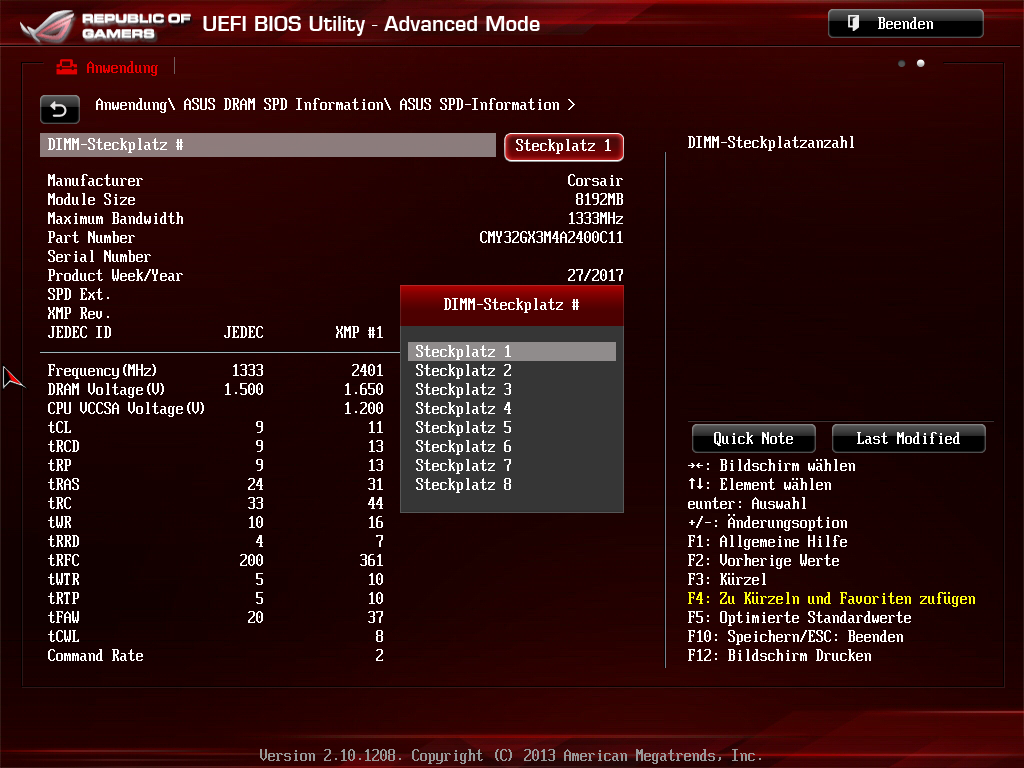
First, I activated the stored 2400 MHz XMP profile in the BIOS. After a few minutes of Memtest86, numerous errors appeared, and the RAM was unstable. After a slight increase in voltage, the RAM was still unstable. So I left all the loaded values as they were and only reduced the clock speed to 2133 MHz.
With these settings, Memtest86 then ran for two full days without any errors. Great, that’s a very high clock speed for a fully equipped four-channel processor.
Then I optimized the timings a little more, everything within reason. 100% stable.
My first overclocked Xeon
Here, too, my goal was to achieve an overclock that is not completely static, so that the power-saving functions could still be used. Even if that might cost a little performance in the end.
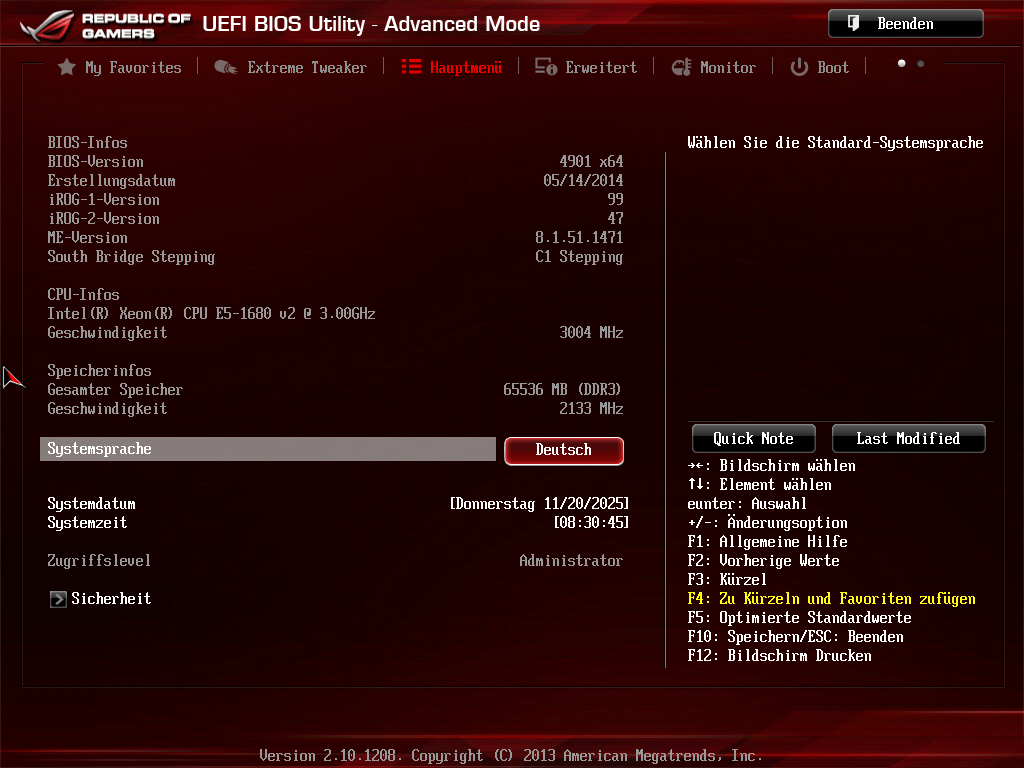
After much back and forth, as is often the case with overclocking, I finally settled on the following values:
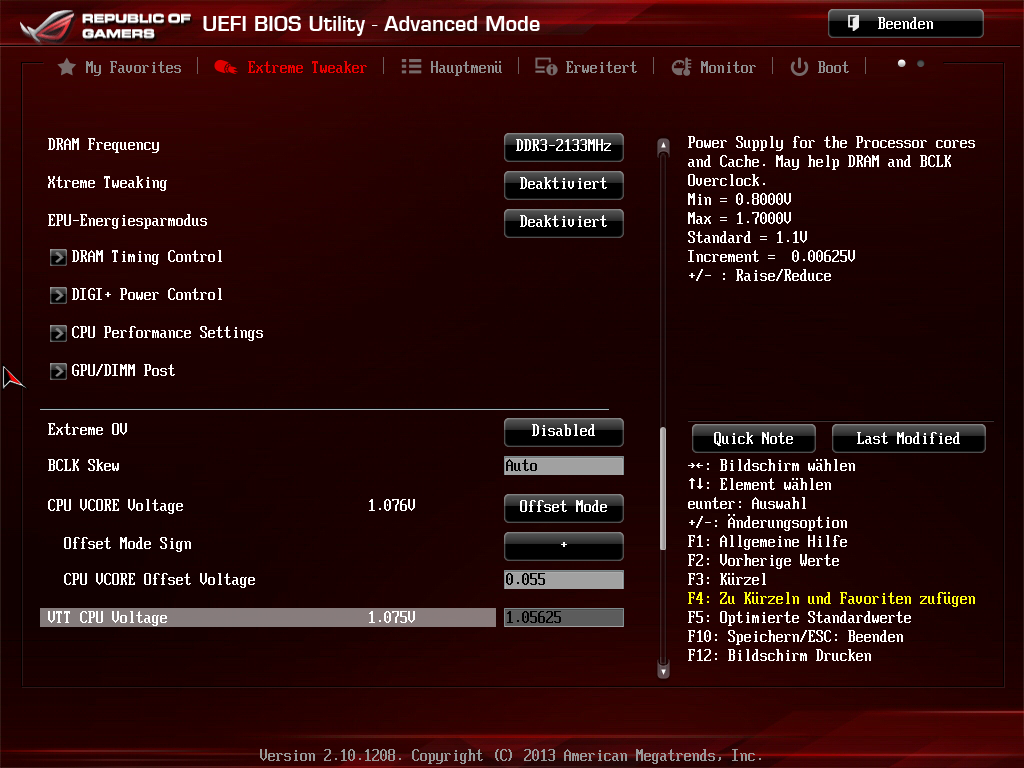
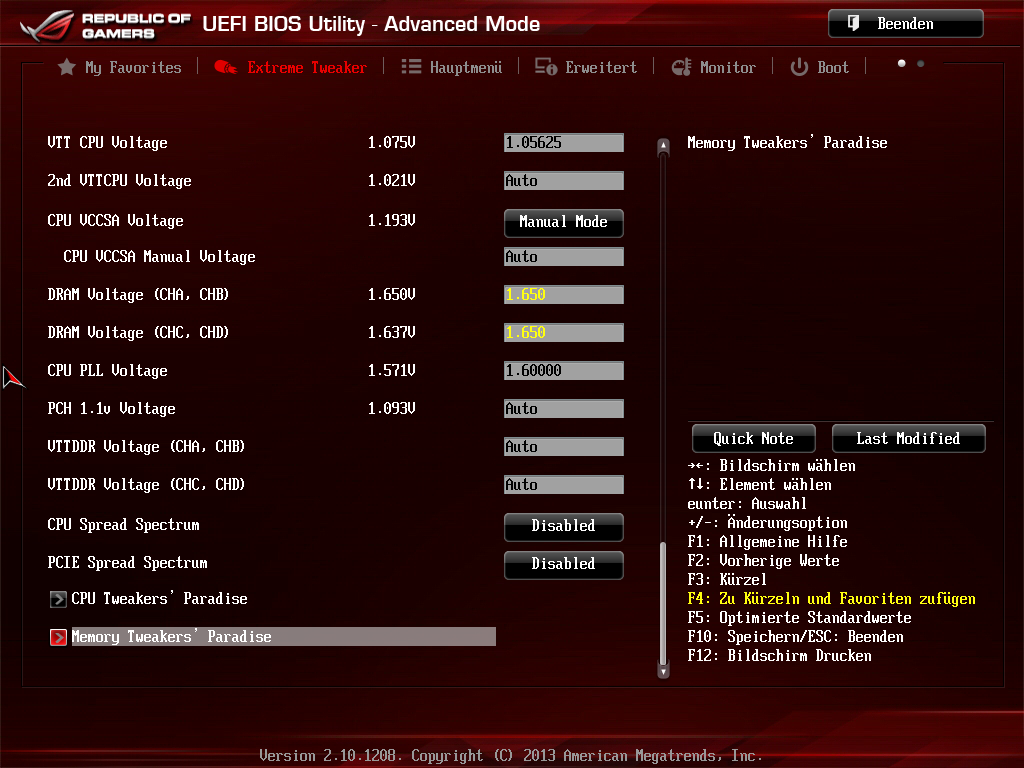
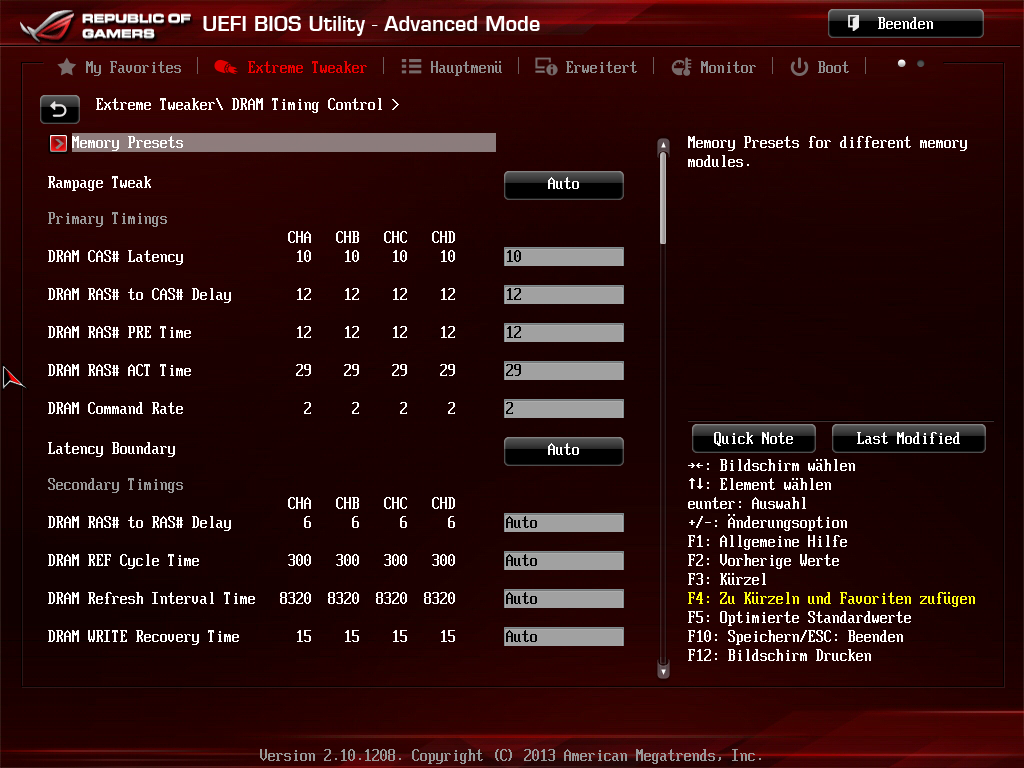
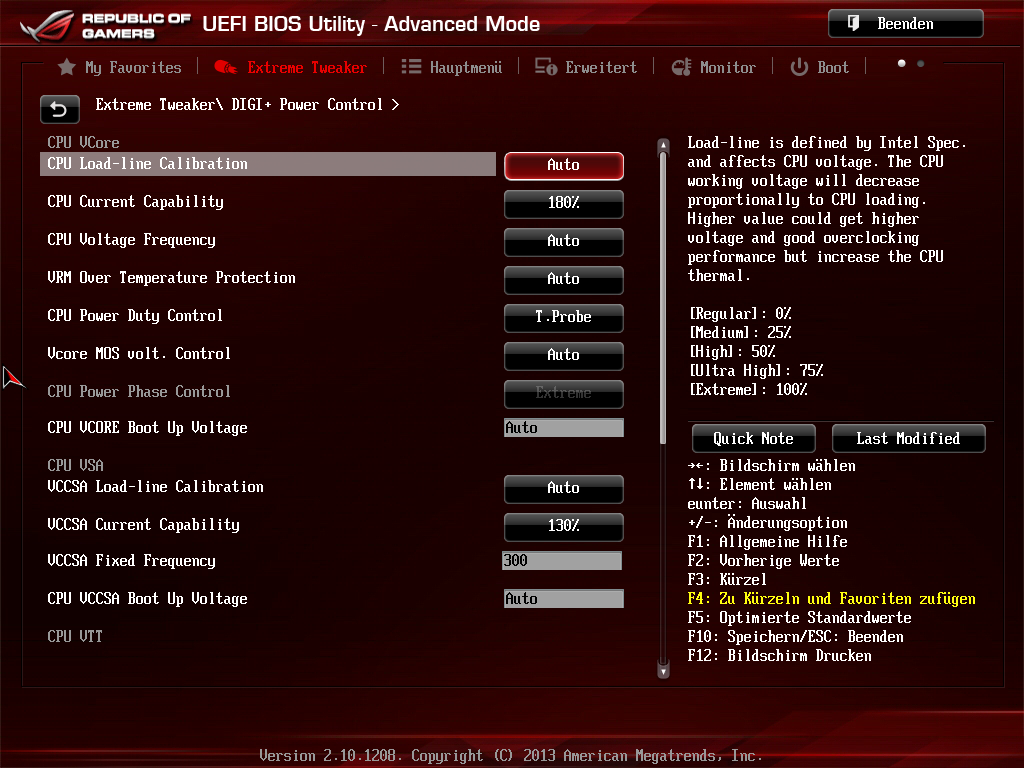
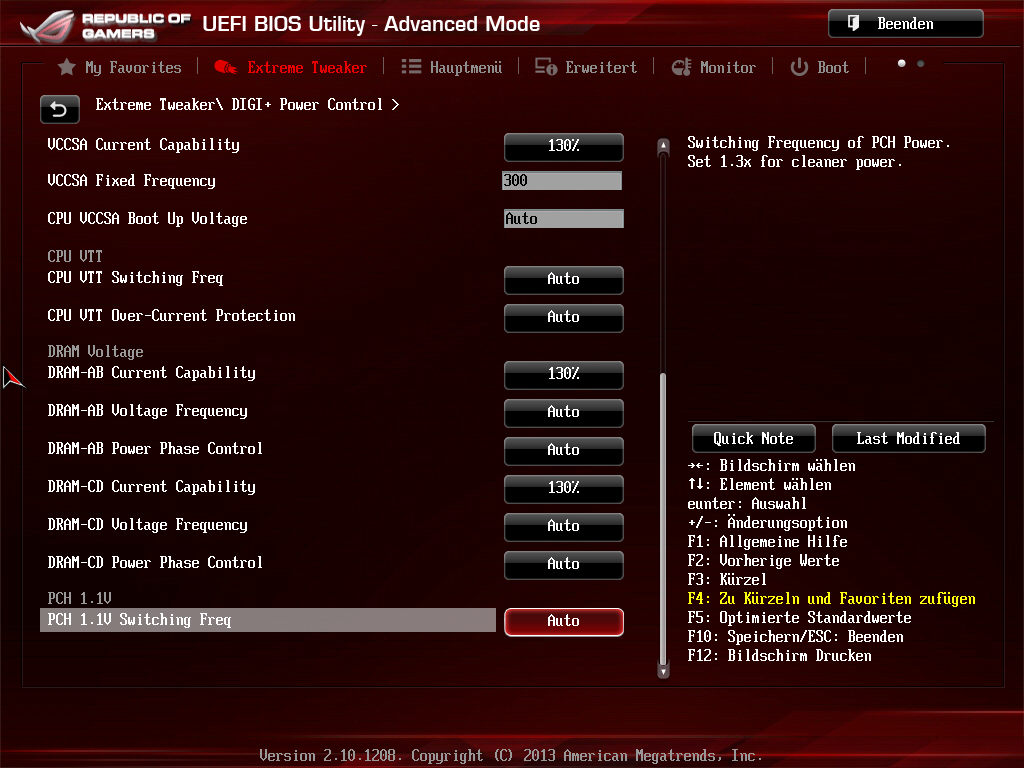
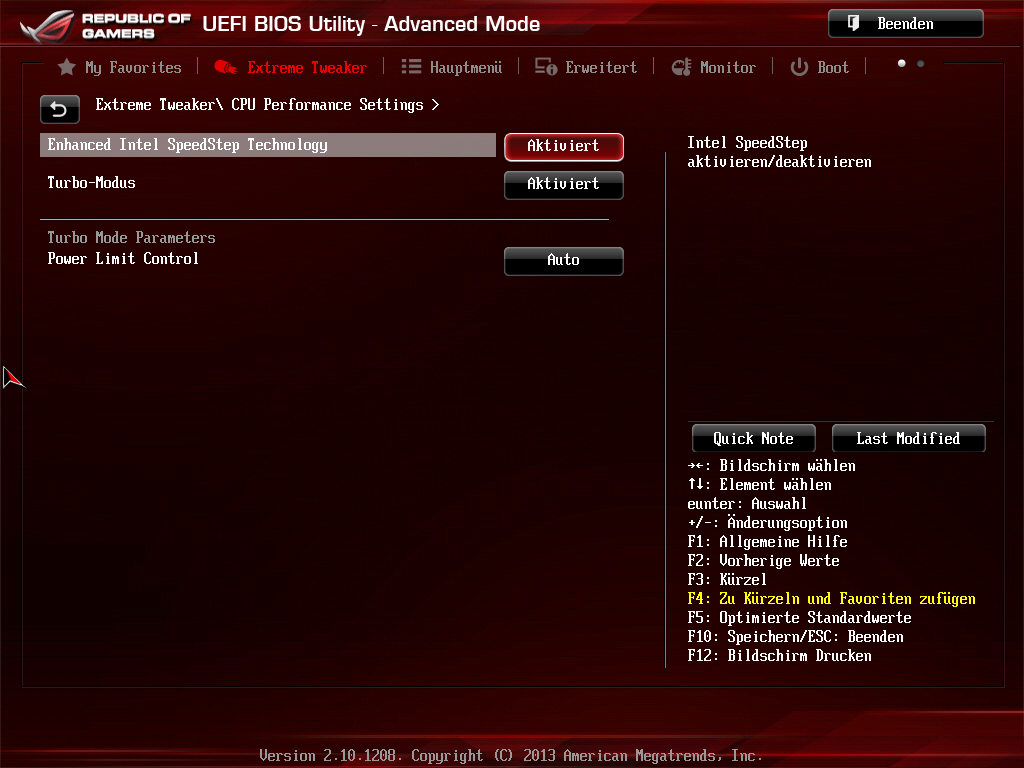
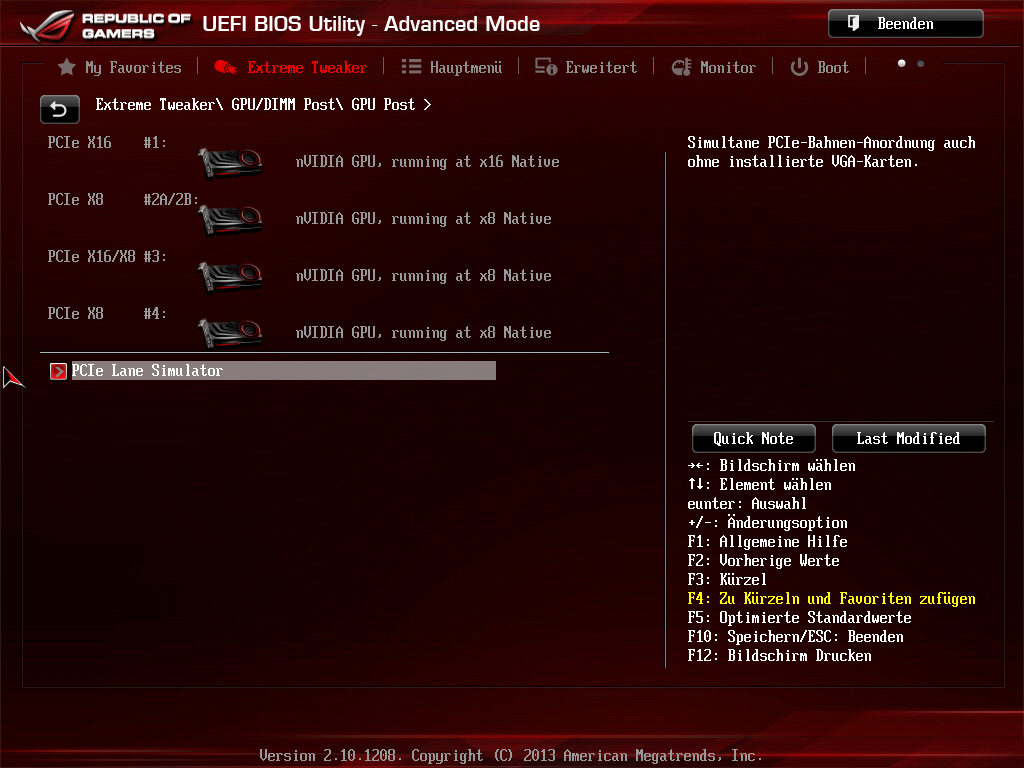
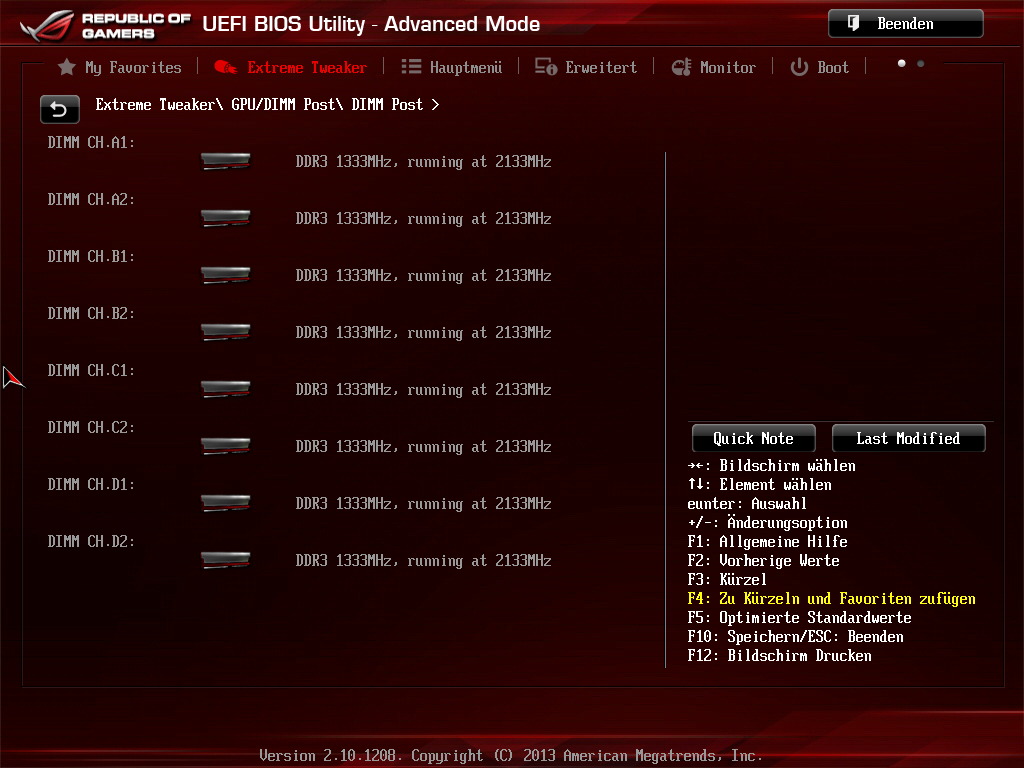
Ready?
This overclock is not Prime95-AVX-stable, but since these commands are only used very rarely anyway, I don’t see a problem with that. Folding@Home runs, albeit at the thermal limit.
Thermal management is an issue anyway: I would have assumed that the Dark Rock Pro 4 would be the limit for this CPU. That is only true to a certain extent: The “extreme” VRM layout is apparently not extreme enough; the motherboard throttles the processor after excessive load for thermal reasons!
I had to install a super-thin 120 mm PWM fan from Akasa* behind the motherboard to prevent this throttling (the Rampage IV Extreme also has VRMs on the back of the board!).
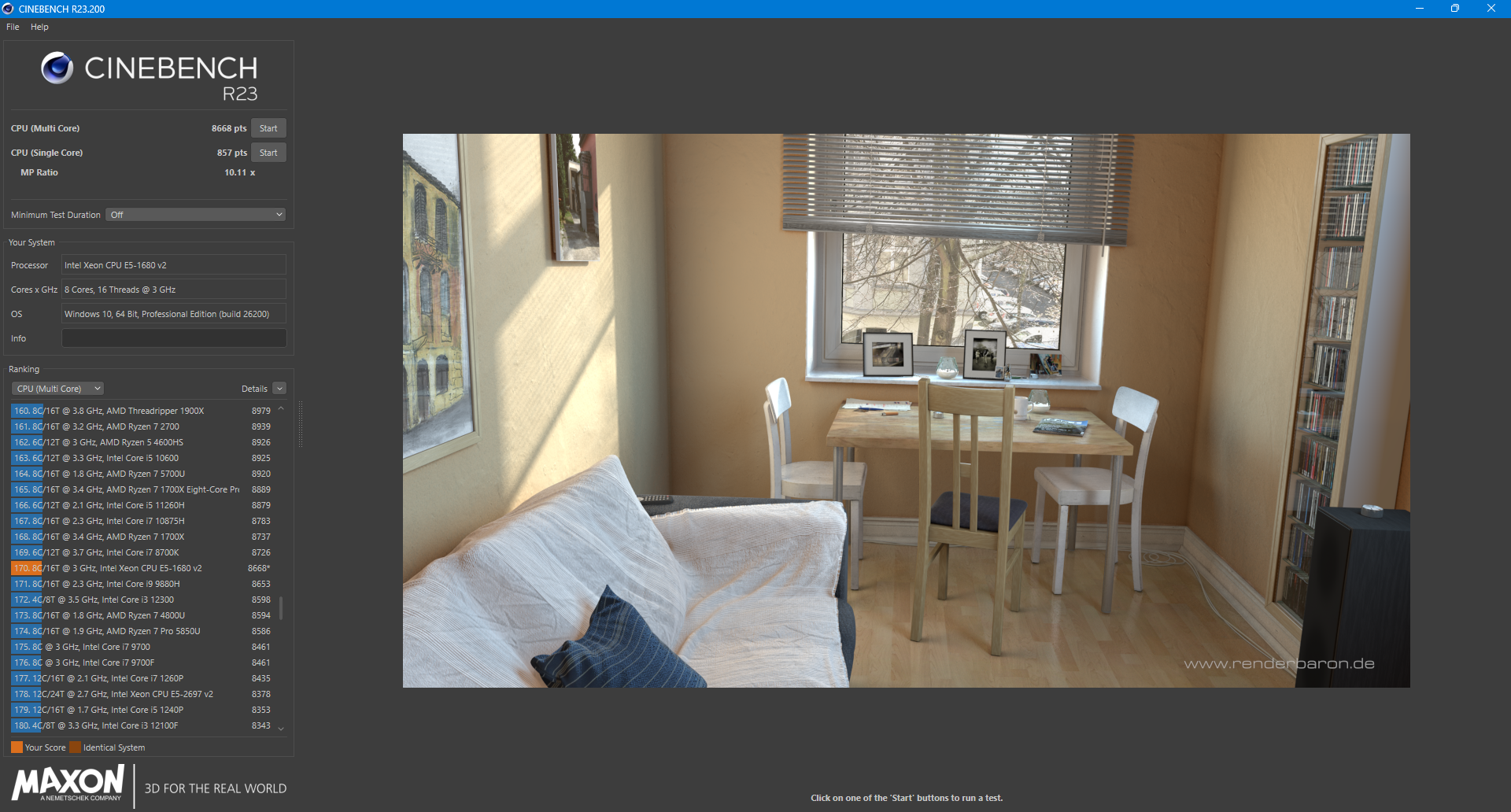
At maximum, the processor draws a hefty ~230 watts in CB23 Multi, 100 watts more than specified by Intel (130 watts TDP).
I would describe the current settings as “stable for everyday use.”
OK, now the graphics cards
Good joke. Anyone who knows what temperatures Nvidia’s blower-style cooling solutions reach knows that this is pretty much out of the question. At this point, custom water cooling would be necessary, including suitable coolers for the cards. I decided against this: firstly, I want to be able to use the cards individually somewhere else in the future, and secondly, you can’t actually get the necessary parts new anymore.
On top of that, there are all the disadvantages of custom water cooling, such as high costs, space requirements, maintainability, durability, etc.
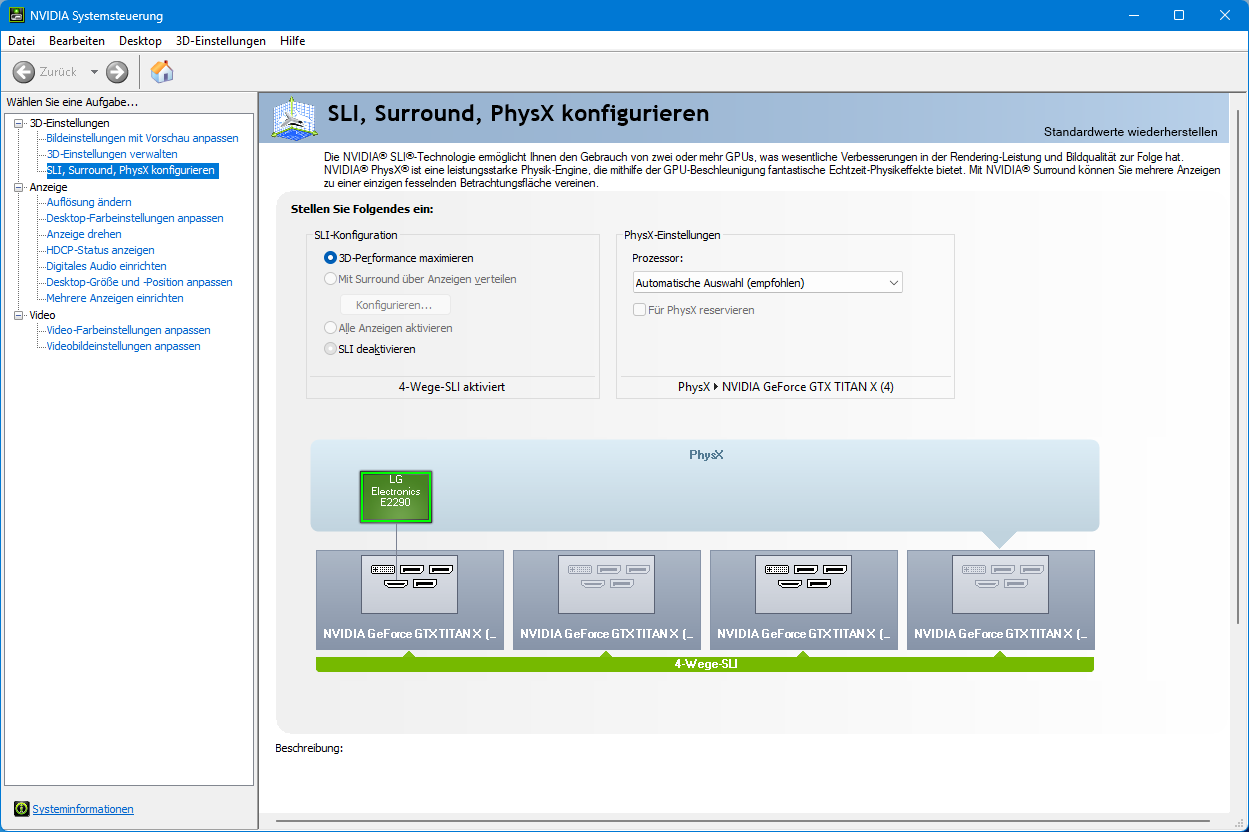
I set the thermal and performance limits to the maximum in MSI Afterburner under each operating system so that I can boost more freely, and more is simply not possible. But that’s enough, because four GTX TITAN X cards are already very overkill with the original settings.