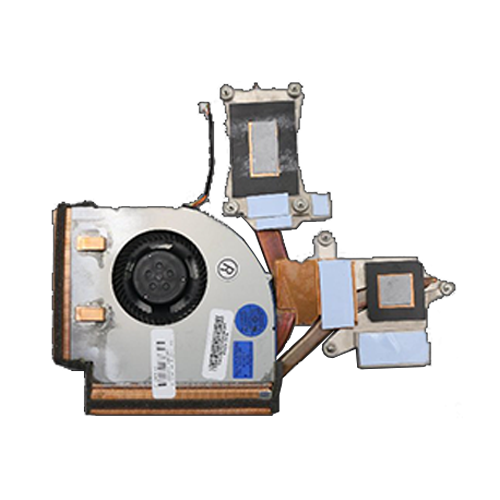
This otherwise really good but now outdated workstation notebook from Lenovo had major thermal problems right from the start. My model has the most powerful non-Extreme mobile processor available, an i7-4910MQ. This quickly becomes very hot with Lenovo’s cooling solution. An Nvidia Quadro K2100M is installed as a 3D accelerator, which is not exactly the most energy-efficient mobile graphics chip either.
Based on my experience with liquid metal in other previous projects, I thought, why shouldn’t this also help with this Thinkpad? No sooner said than done. I had taken the notebook apart many times before, and you really have to remove a lot of screws before you get to the cooler. Then, as usual, I made the preparations, applied thermal paste around the die for insulation because a notebook is mobile, and applied liquid metal*.
Better?
In short: no. The difference is a whole degree Celsius. The cooler is simply undersized. And I’m only talking about full CPU load (even without AVX!), which very quickly causes thermal throttling. If the GPU is also under load at the same time, the ThinkPad can no longer be used effectively. Even old games are unplayable because the system repeatedly throttles heavily and the notebook simply shuts down after a short time due to overload.
I am writing this post so that no one else takes this device apart and puts it back together again multiple times for no reason. New thermal paste* only helps if the existing paste has been in use for several years. But even then, you shouldn’t expect miracles. It’s a shame, because in terms of features, this is a really good 15″ notebook.