As I’ve mentioned in previous posts, I’ve always been a fan of the wide variety of mini-PCs from different manufacturers and generations available on the (refurbished) market. Whether as an energy-efficient server, a relatively powerful office computer, a “streaming box,” or an emulation device, there are plenty of uses for them. Spare parts are generally easy to find and the prices for used units are reasonable.
No comparison to the cheap, new “no-name” mini-PCs from the Far East, which lack real software support. Something not working in the UEFI? Usually, you’re out of luck. In contrast, business devices from well-known manufacturers receive updates for everything relevant for many years. At the same time, fans, coolers, and other components are often designed to be far more durable, ensuring they last for many years without issues.
On top of that, in many new mini-PCs, upgradeability is limited due to the use of soldered mobile processors – which is personally unacceptable to me. Add to that the additionally occasional soldered RAM and it’s a no-go.
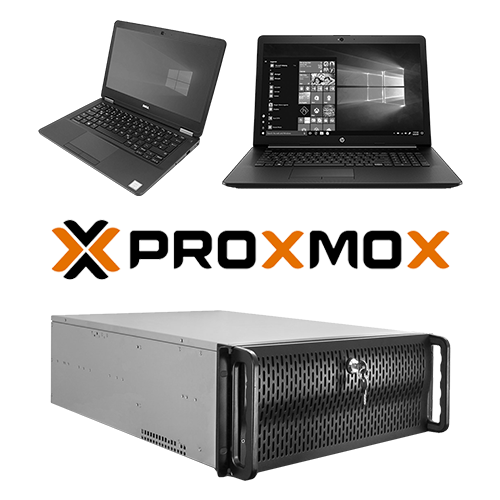
Until now, we’ve been using other, surplus hardware to serve as our energy-efficient Proxmox hosts. Of course, this comes with some trade-offs – but letting relatively modern, energy-efficient hardware sit unused when it’s practically free wouldn’t be a better use for it either. Over time, however, more and more minor issues cropped up, which – combined with an acceptable deal (there aren’t any great prices right now; CPUs, RAM, and storage have seen a sharp rise in price. Whether things will ever really get better again is questionable; one can only hope) – have now prompted us to rebuild and expand our always-on Proxmox environment.
Problems with the current setup
As I mentioned in this post, we have two energy-efficient Proxmox servers, a high-performance, power-hungry one and a backup server. The high-performance server runs only when needed; the others runs 24/7.
In reality, the TR server is hardly ever used, for various reasons. For one thing, its power consumption is quite high, and for another, due to time constraints, the VMs are typically run locally instead and are therefore rarely accessed over the network. On top of that, the vGPU system keeps causing incompatibilities (e.g., the GPU stops working within Windows 11 VMs due to updates, things don’t work properly on the server side, Proxmox updates break functionality, etc.), and the constant need for repairs eats up time I don’t have right now, for little to no use afterward. Sure, vGPU is technically really good and interesting, but right now it’s completely unnecessary for us.
The host from which media is streamed locally is the HP notebook equipped with an Intel Core i5-10210U (4 cores, 8 threads) with a TDP of just 15 watts. The problem: Especially during indexing, the fan frequently runs at full speed for hours on end (single-core load, boost up to 4.2 GHz!). Since the computer is located in the living room, the noise pollution cannot be ignored. On top of that, dust is sucked into the device for hours every day, and I’d rather not test how long such an inexpensive, slim fan can withstand the constantly high RPMs without sustaining damage. So the primary goal is to replace it as sensibly as possible.
At the same time, the number of running services is constantly growing, so this upgrade won’t replace either of the two existing servers, it will simply expand the infrastructure.
Solution?
We plan to purchase at least one mini PC as an addition to our setup. I’ll explain the details – how, what, and why – in my next post.